WebMCP Cheat Sheet
Complete quick reference to the W3C navigator.modelContext API - register JavaScript functions as AI-callable browser tools.
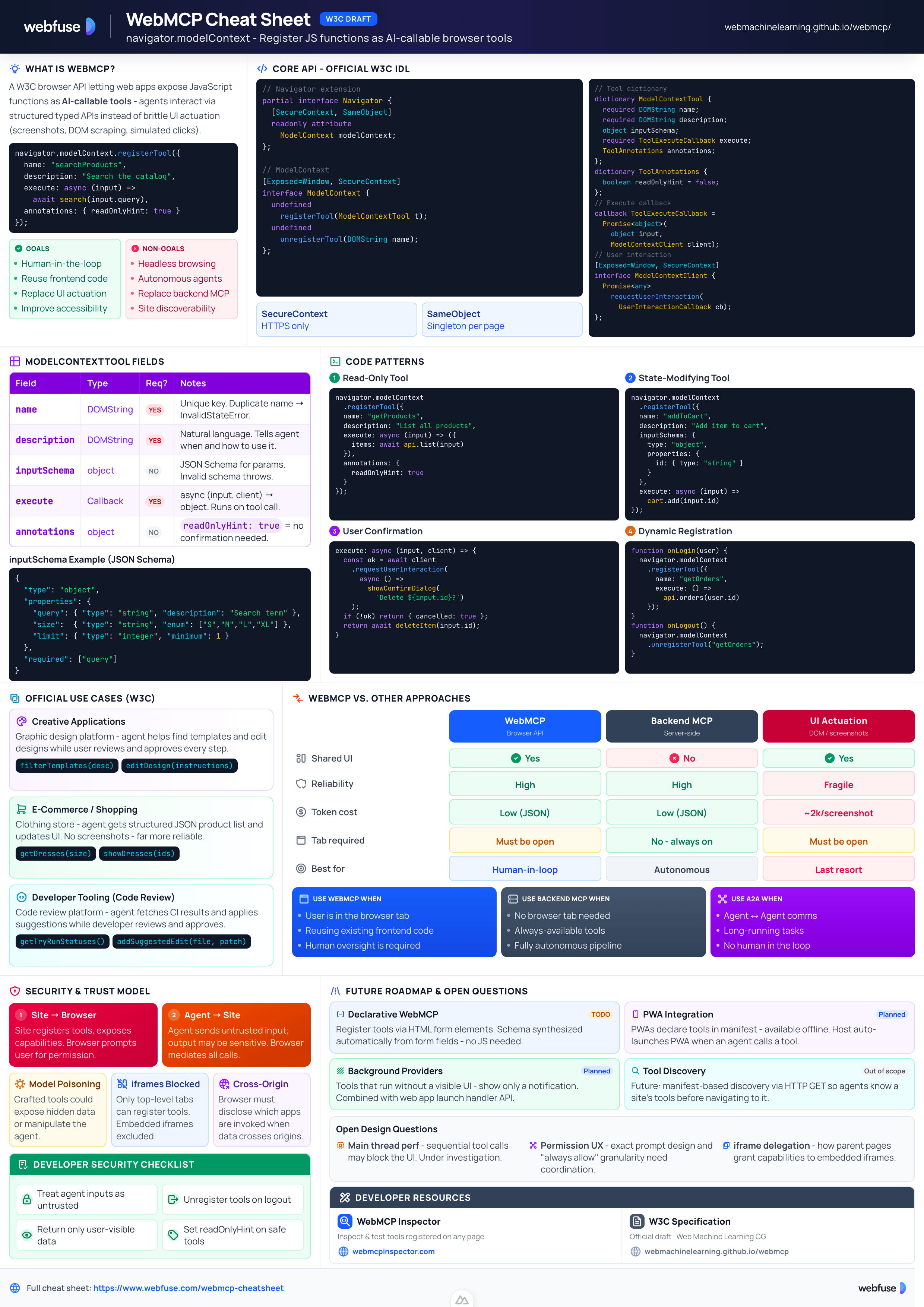
What Is WebMCP?
The browser API that turns your web app into an AI-callable tool server
The Core Idea
Web pages that use WebMCP can be thought of as MCP servers that implement tools in client-side script instead of on a backend server. AI agents invoke your JavaScript functions directly, reusing your existing frontend logic with no backend required.
// WebMCP lives on the Navigator object
navigator.modelContext.registerTool({
  name: "searchProducts",
  description: "Search the product catalog by keyword and category",
  inputSchema: { type: "object", properties: { query: { type: "string" } } },
  execute: async (input) => await searchCatalog(input.query)
});
The Problem Today
- Screenshots cost ~2,000 tokens each
- Fragile to layout changes
- Slow multi-step interactions
- Agents guess what to do
- No shared UI context with user
- Auth/session must be managed separately
- Can't reuse frontend logic
The WebMCP Solution
Key Terminology
Goals
Non-Goals
WebMCP needs the site owner to ship it first.
Webfuse works today, in the live session.
Core API
The official W3C WebIDL interfaces
Navigator Extension
WebMCP extends the browser's Navigator interface with a single new attribute:
// Official W3C IDL
partial interface Navigator {
  [SecureContext, SameObject] readonly attribute ModelContext modelContext;
};
ModelContext instance is always returned per Navigator - it's a singleton.ModelContext Interface
[Exposed=Window, SecureContext]
interface ModelContext {
  undefined registerTool(ModelContextTool tool);
  undefined unregisterTool(DOMString name);
};
InvalidStateError if:- A tool with the same name already exists
- The inputSchema is invalid
- The name or description is an empty string
InvalidStateError if the tool does not exist.ModelContextClient Interface
[Exposed=Window, SecureContext]
interface ModelContextClient {
  Promise<any> requestUserInteraction(
    UserInteractionCallback callback
  );
};

callback UserInteractionCallback =
  Promise<any> ();
Complete IDL Index (Official)
partial interface Navigator {
  [SecureContext, SameObject] readonly attribute ModelContext modelContext;
};

[Exposed=Window, SecureContext]
interface ModelContext {
  undefined registerTool(ModelContextTool tool);
  undefined unregisterTool(DOMString name);
};

dictionary ModelContextTool {
  required DOMString name;
  required DOMString description;
  object inputSchema;
  required ToolExecuteCallback execute;
  ToolAnnotations annotations;
};

dictionary ToolAnnotations {
  boolean readOnlyHint = false;
};

callback ToolExecuteCallback =
  Promise<object> (object input, ModelContextClient client);

[Exposed=Window, SecureContext]
interface ModelContextClient {
  Promise<any> requestUserInteraction(UserInteractionCallback callback);
};

callback UserInteractionCallback = Promise<any> ();
Tool Definition
All fields of ModelContextTool and how to use them
| Field | Type | Required | Description |
|---|---|---|---|
name | DOMString | Yes | Unique identifier used by agents to reference the tool. Must not be empty. Must be unique - registering a duplicate name throws InvalidStateError. |
description | DOMString | Yes | Natural language description. Helps the agent understand when and how to use this tool. Must not be empty. Write it as if explaining to a person. |
inputSchema | object | No | A JSON Schema object describing the expected input parameters. Validates what the agent passes to your execute function. Invalid schemas throw InvalidStateError. |
execute | ToolExecuteCallback | Yes | The callback invoked when an agent calls the tool. Receives input (agent params) and client (for user interaction). Can be async. |
annotations | ToolAnnotations | No | Optional metadata about the tool's behavior. Currently contains readOnlyHint. Helps agents decide when it's safe to call the tool. |
inputSchema Examples
{
  "type": "object",
  "properties": {
    "query": {
      "type": "string",
      "description": "Search term"
    }
  },
  "required": ["query"]
}{
"type": "object",
"properties": {
"productId": { "type": "string" },
"quantity": { "type": "integer", "minimum": 1 },
"size": {
"type": "string",
"enum": ["S", "M", "L", "XL"]
}
}
}execute & annotations
// input = agent-supplied params (matches inputSchema)
// client = ModelContextClient for user interaction
async (input, client) => {
  // Do work...
  return { result: "data" }; // must return object
}
annotations: { readOnlyHint: true }readOnlyHint: true, the agent knows the tool won't modify any state. The browser/agent can safely call it without user confirmation prompts. Internal Data Model
namestring - unique identifierdescriptionstring - natural languageinput schemastring - stringified JSON Schemaexecute stepssteps - invoked when tool is calledread-only hintboolean - initially falseCode Examples
Real-world patterns for registering and managing WebMCP tools
Basic Tool Registration
Register a read-only search tool that returns structured data to agents:
// Requires HTTPS (SecureContext)
navigator.modelContext.registerTool({
  name: "searchProducts",
  description: "Search the product catalog by keyword. Returns a list of matching products with name, price, and availability.",
  inputSchema: {
    type: "object",
    properties: {
      query: {
        type: "string",
        description: "The search keyword or phrase"
      },
      category: {
        type: "string",
        enum: ["all", "clothing", "electronics", "books"],
        description: "Product category to filter by"
      }
    },
    required: ["query"]
  },
  execute: async (input) => {
    // Reuses your existing frontend search logic!
    const results = await productStore.search(input.query, input.category);
    return { products: results, total: results.length };
  },
  annotations: { readOnlyHint: true } // Does not modify state
});
State-Modifying Tool
Tool that changes page state (no readOnlyHint):
navigator.modelContext.registerTool({
  name: "addToCart",
  description: "Add a product to the user's shopping cart",
  inputSchema: {
    type: "object",
    properties: {
      productId: { type: "string" },
      quantity: { type: "integer", minimum: 1 }
    },
    required: ["productId", "quantity"]
  },
  execute: async (input) => {
    await cart.add(input.productId, input.quantity);
    return { success: true, cartTotal: cart.total };
  }
  // readOnlyHint omitted → defaults to false
});
User Interaction (Confirmation)
Pause execution to get user confirmation:
execute: async (input, client) => {
  // Pause and ask user to confirm
  const confirmed = await client.requestUserInteraction(
    async () => {
      // Show your UI confirmation dialog
      return await showConfirmDialog(
        `Delete ${input.filename}?`
      );
    }
  );

  if (!confirmed) {
    return { cancelled: true };
  }

  await deleteFile(input.filename);
  return { deleted: true };
}
Dynamic Registration
Register/unregister tools based on app state:
// Register when user logs in
function onUserLogin(user) {
  navigator.modelContext.registerTool({
    name: "getUserOrders",
    description: "Get the current user's order history",
    execute: async () => ({
      orders: await api.getOrders(user.id)
    }),
    annotations: { readOnlyHint: true }
  });
}

// Unregister when user logs out
function onUserLogout() {
  navigator.modelContext.unregisterTool("getUserOrders");
}
Updating a Tool
Tools cannot be re-registered - unregister first:
// ❌ Throws InvalidStateError - name already exists
navigator.modelContext.registerTool({ name: "myTool", ... });
navigator.modelContext.registerTool({ name: "myTool", ... });

// ✅ Correct - unregister first, then re-register
navigator.modelContext.unregisterTool("myTool");
navigator.modelContext.registerTool({ name: "myTool", ... });
Registering Multiple Tools
Register all your app's tools on page load:
const tools = [
  { name: "getProducts", description: "...", execute: getProducts, annotations: { readOnlyHint: true } },
  { name: "addToCart", description: "...", execute: addToCart },
  { name: "checkout", description: "...", execute: startCheckout },
];

tools.forEach(tool =>
  navigator.modelContext.registerTool(tool)
);
Testing & Debugging
Inspect, execute, and verify your WebMCP tools during development
navigator.modelContextTesting
A second Navigator attribute available in Chrome 146+ when the WebMCP for testing flag is enabled. It is a developer-only surface - not available in production - for inspecting and manipulating all registered tools without going through the page's own JavaScript.
navigator.modelContext. It can read back and bulk-replace every tool registered on the current page.#enable-webmcp-for-testing flag is on in chrome://flags.// Enable in chrome://flags → search "WebMCP for testing" // Then available on every HTTPS page (SecureContext) // Production API - used by your app navigator.modelContext.registerTool({ name: "myTool", ... }); // Testing API - used by dev tools / test scripts const tools = await navigator.modelContextTesting.getTools(); console.log(tools); // → [{ name: "myTool", description: "...", inputSchema: {...} }]
Feature Detection
Always check for both APIs before use - neither is universally available:
// Check production API
if ('modelContext' in navigator) {
  // Safe to call registerTool / unregisterTool
  navigator.modelContext.registerTool({ ... });
}

// Check testing API (dev environments only)
if ('modelContextTesting' in navigator) {
  // Safe to call getTools / provideContext / clearContext
  const tools = await navigator.modelContextTesting.getTools();
}
provideContext()
Replace the full set of registered tools in one atomic call - useful for test setup or stubbing:
// Replaces ALL currently registered tools
await navigator.modelContextTesting.provideContext({
  tools: [
    {
      name: "stubSearch",
      description: "Returns mock search results",
      inputSchema: {
        type: "object",
        properties: {
          query: { type: "string" }
        }
      },
      execute: async () => ({ results: ["mock-item-1"] })
    }
  ]
});
unregisterTool + registerTool in a loop, provideContext is atomic - no intermediate state is visible to agents during the swap. clearContext()
Remove every registered tool at once - typically used in test teardown:
// Tear down after each test
afterEach(async () => {
  if ('modelContextTesting' in navigator) {
    await navigator.modelContextTesting.clearContext();
  }
});

// Or reset before each scenario
beforeEach(async () => {
  await navigator.modelContextTesting.clearContext();
  // Then re-register exactly the tools this test needs
  navigator.modelContext.registerTool({ name: "myTool", ... });
});
Executing Tools Directly
Call a registered tool by name with custom JSON input - without an actual AI agent:
// List all registered tools first
const tools = await navigator.modelContextTesting.getTools();
console.log(tools.map(t => t.name));
// → ["searchProducts", "addToCart", "checkout"]

// Execute a specific tool with test input
const result = await navigator.modelContextTesting
  .executeTool("searchProducts", { query: "shoes" });
console.log(result);
// → { products: [...], total: 12 }
Model Context Tool Inspector
A Chrome extension built on navigator.modelContextTesting that provides a visual UI for everything above:
github.com/beaufortfrancois/model-context-tool-inspectorTesting API - IDL Summary
// Navigator is extended with a second attribute (dev/testing only)
partial interface Navigator {
  [SecureContext] readonly attribute ModelContextTesting modelContextTesting;
};

[Exposed=Window, SecureContext]
interface ModelContextTesting {
  // Read back all tools currently registered on this page
  Promise<FrozenArray<ModelContextToolInfo>> getTools();

  // Replace the entire tool set atomically
  undefined provideContext(ModelContextInit init);

  // Remove all registered tools
  undefined clearContext();

  // Invoke a tool by name with JSON input
  Promise<object> executeTool(DOMString name, object input);
};

dictionary ModelContextInit {
  required sequence<ModelContextTool> tools; // Same ModelContextTool as registerTool()
};
Note: the spec for ModelContextTesting is still in early preview and subject to change. Always verify against the latest Chrome implementation when building tooling on top of it.
navigator.modelContext only exists on sites that adopt it.
Webfuse reaches any live page now.
Canonical Use Cases
Three official examples from the W3C WebMCP explainer
Creative Applications
Graphic design platform - human + agent collaboration
filterTemplates(description)editDesign(instructions)orderPrint(designId, format)E-Commerce / Shopping
Clothing store - structured data vs screen-scraping
getDresses(size) to receive a structured JSON list of products with descriptions and images, filters them by criteria, then calls showDresses(product_ids) to update the UI - far more reliable than screen-scraping.getDresses(size, color?, priceMax?)showDresses(productIds)addToCart(productId, size)Developer Tooling (Code Review)
Complex code review platform (e.g., Gerrit) - domain-specific tools
getTryRunStatuses(patchsetId)addSuggestedEdit(filename, patch)getOpenComments()Accessibility Benefits
WebMCP vs. Other Approaches
How WebMCP compares to backend MCP, UI actuation, OpenAPI, and A2A
WebMCP vs. Backend MCP Integration
| Aspect | WebMCP | Backend MCP |
|---|---|---|
| Where code runs | Client-side JavaScript in the browser | Server-side (Python, Node.js, etc.) |
| Requires page navigation | Yes - page must be open in a tab | No - always available if server is running |
| Shared UI context | Yes - user and agent share the same page | No - agent interacts without a UI |
| Auth / session | Naturally shared with user's browser session | Must be managed separately |
| Best for | Collaborative, human-in-the-loop scenarios | Autonomous, headless, server-to-server |
WebMCP vs. UI Actuation
| Aspect | WebMCP | UI Actuation |
|---|---|---|
| Reliability | High | Low - fragile to UI changes |
| Speed | Fast - direct function calls | Slow - multi-step |
| Dev control | Full - you define tools | None - agent guesses |
| Token cost | Low - compact JSON | ~2,000 tokens/screenshot |
vs. OpenAPI & A2A
Which Approach to Use?
- • User is actively present in tab
- • You want to reuse frontend code
- • Human oversight is required
- • Shared UI context matters
- • No browser tab needed
- • Server-to-server workflows
- • Fully autonomous pipelines
- • Always-available tools
- • Exposing HTTP REST APIs
- • ChatGPT/Gemini integration
- • Standard web API consumers
- • No frontend code access
- • Agent-to-agent communication
- • Long-running agent tasks
- • Multimodal agent I/O
- • No human in the loop
Security & Privacy
Trust boundaries, permission model, and open security questions
Two Trust Boundaries
HTTPS Required (SecureContext)
navigator.modelContext is decorated with [SecureContext] - it only exists on HTTPS pages.// On HTTP - undefined console.log(navigator.modelContext); // undefined // On HTTPS - works navigator.modelContext.registerTool(...);
window.isSecureContext before calling any WebMCP API to gracefully handle HTTP environments during development.Top-Level Browsing Contexts Only
- Maintains a clear security boundary
- Prevents embedded content from exposing tools without the parent page's knowledge
- Embedders manage capabilities of embedded contexts
Model Poisoning Risk
Cross-Origin Isolation
Developer Security Checklist
- Always validate agent-supplied inputs against your inputSchema
- Treat input as untrusted (like user input from a form)
- Sanitize strings before using in queries or HTML
- Only return data the user has permission to see
- Don't expose PII in tool responses unnecessarily
- Use requestUserInteraction for destructive operations
- Verify user is authenticated before registering sensitive tools
- Unregister tools when user logs out
- Mark read-only tools with readOnlyHint: true
Future Roadmap
Planned extensions and open design questions from the official W3C spec
Declarative WebMCP
registerTool() calls. Tools would be derived from HTML forms and their associated elements.<!-- Conceptual future syntax --> <form webmcp-tool="searchProducts" webmcp-description="Search for products"> <input name="query" type="text"> </form>
Progressive Web Apps (PWAs)
Background Model Context Providers
Tool Discovery
Open Design Questions
Spec Status & Governance
Resources & Related Specs
Official sources, related work, and prior art
Official W3C Sources
Referenced Specifications
Tools & Utilities
navigator.modelContext directly in your browser.Deep Dives
Prior Art & Related Projects
Key Design Rationale
- Any MCP-compatible agent works with minimal translation
- Developers can reuse code between WebMCP and backend MCP
- Browser can evolve MCP compatibility independently
- Web-platform security policies can be applied
- Would limit WebMCP to installed PWAs only
- A new manifest format still needs implementation
- Cannot execute code or update tools dynamically
- Dynamic registration is a critical developer capability
- Clear, understandable security boundary
- Prevents iframe-based capability leakage
- Embedders manage iframe capabilities
- Simpler mental model for users and developers
Ready to let your AI agent act on the live web?
Headless browsers give your agent a copy of the web. Webfuse gives it the session your user is actually in — over MCP, with no install.
- No credit card
- Free forever plan
- Quick setup
More Cheatsheets
Other quick-reference guides you might find useful.
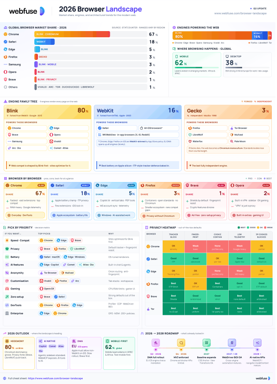
The 2026 Browser Landscape
Major Browsers, Engines, Privacy & Security
Quick reference to the 2026 web browser landscape - market share, engines (Blink, WebKit, Gecko), performance, privacy, extension risks, and a decision table for picking the right browser.
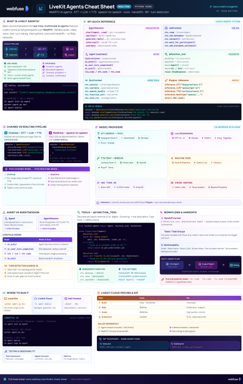
LiveKit Agents
Real-Time Voice & Multimodal AI
Complete quick reference for LiveKit Agents - architecture, chained vs realtime pipelines, STT/LLM/TTS integrations, tools, workflows, turn detection, and deployment.
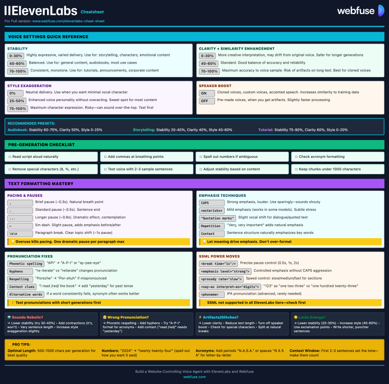
ElevenLabs
Models, Voices, API & Agents
Current quick reference for ElevenLabs models, voice cloning, streaming, API usage, and platform updates.
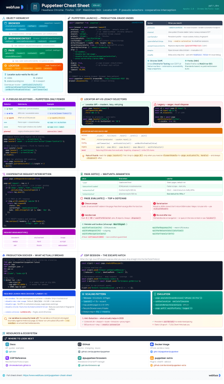
Puppeteer
Headless Chrome & Firefox Automation
Complete quick reference for Puppeteer v24 - Browser/Context/Page hierarchy, modern Locator API with pseudo-selectors, request interception, BiDi, and Docker production patterns.
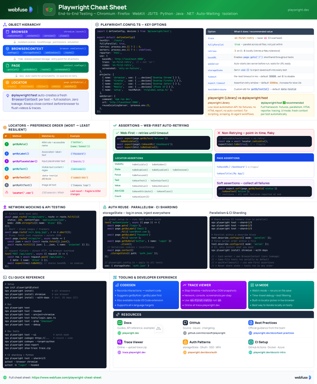
Playwright
End-to-End Testing & Browser Automation
Complete quick reference for Playwright - Browser/Context/Page/Locator primitives, locator strategies, web-first assertions, Codegen, Trace Viewer, language bindings, and best practices.
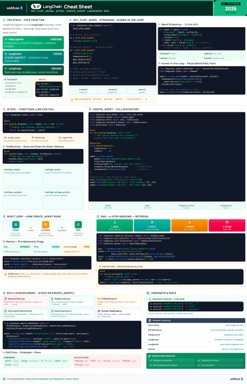
LangChain
LLM Agents, Tools, RAG & Models
Complete quick reference for LangChain - init_chat_model universal interface, @tool decorator, create_agent with memory and structured output, and full RAG pipeline.
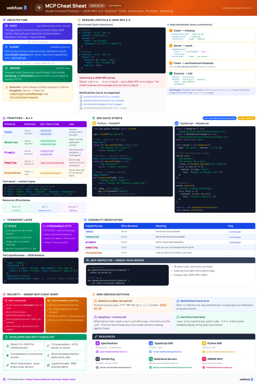
MCP
Model Context Protocol Reference
Complete quick reference for the Model Context Protocol - architecture, primitives (Tools, Resources, Prompts), JSON-RPC transport, security best practices, and ecosystem overview.
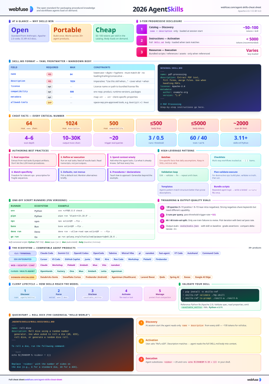
Agent Skills
SKILL.md Spec & Authoring Reference
Complete quick reference for Agent Skills - SKILL.md spec, progressive disclosure, directory conventions, authoring patterns, scripts, description optimization, output-quality evals, and client integration.