Playwright Cheat Sheet
Complete quick reference for Playwright - the fast, reliable end-to-end testing and browser automation framework by Microsoft. Chromium, Firefox, and WebKit with a single API.
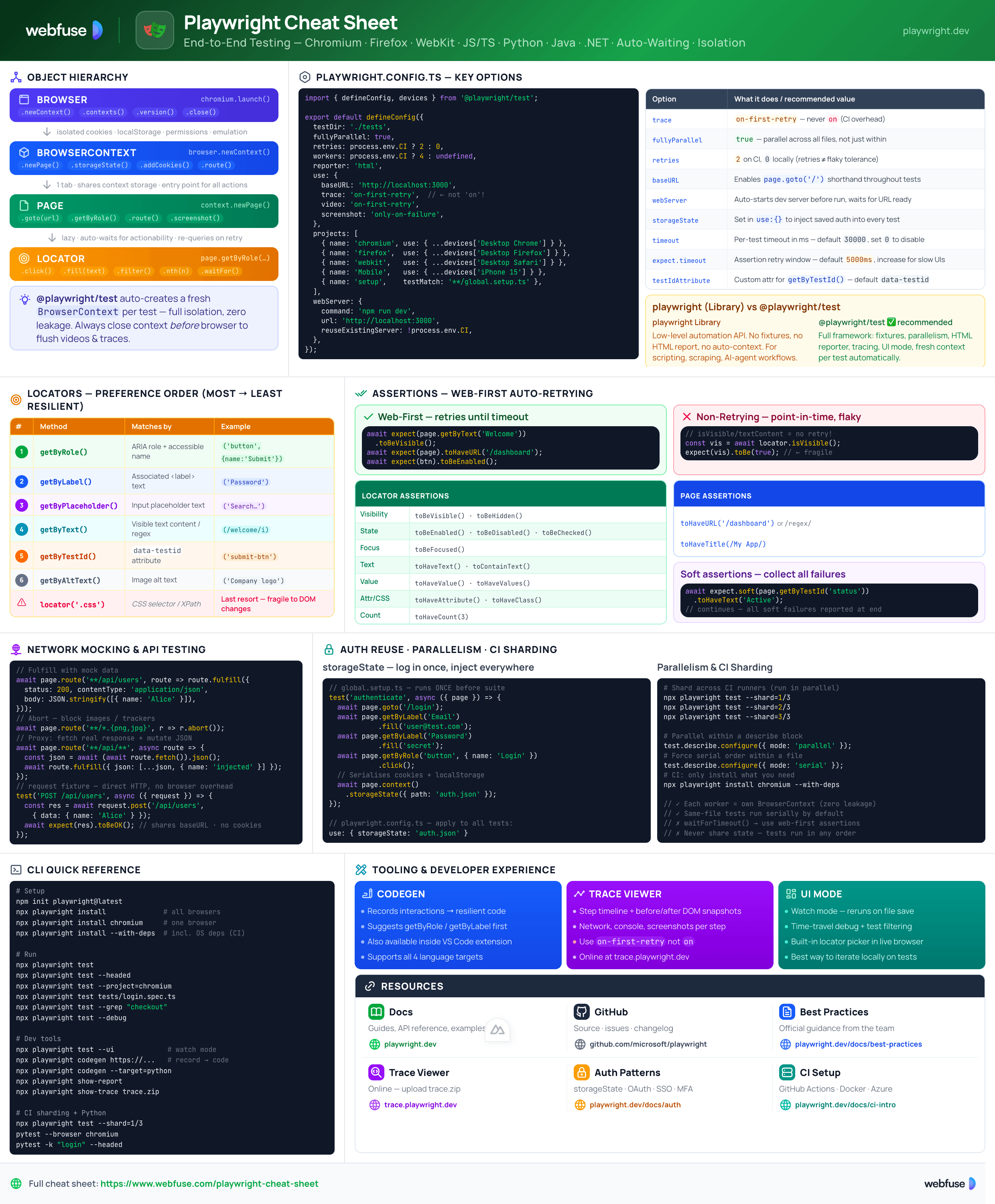
What Is Playwright?
Fast, reliable end-to-end testing and browser automation across Chromium, Firefox, and WebKit
The Core Idea
Playwright is a Microsoft-maintained open-source framework (Apache 2.0) for end-to-end testing and browser automation. A single API drives Chromium, Firefox, and WebKit across Linux, macOS, and Windows - headed or headless. It is built around auto-waiting (actions wait for elements to be actionable), web-first assertions (retry until conditions are met), and full test isolation via fresh browser contexts per test.
Library vs Test Runner
The low-level automation API. Controls Browser, BrowserContext, Page, and Locator directly. Use for scripting, scraping, or AI-agent workflows.
import { chromium } from 'playwright';
const browser = await chromium.launch();
Full test framework built on the Library. Adds fixtures, parallelism, HTML reporter, tracing, UI mode, and config. Use for all testing scenarios.
import { test, expect } from '@playwright/test';
test('page title', async ({ page }) => { ... });
Core Strengths
expect() retries until conditions are met or timeout.BrowserContext per test, zero state leakage.Supported Browsers
Chrome and Edge (stable + dev channels). Also covers Chrome for Testing via channel: 'chrome'.
Playwright-patched Firefox build for full CDP protocol support.
Apple's browser engine (Safari). Cross-platform - test Safari behaviour on Linux/Windows CI.
Key Terminology
page, context, browser). Scoped and automatically cleaned up.playwright.config.ts. Run your suite across multiple browsers via projects.npx playwright show-trace.Playwright launches a browser you control from scratch.
Webfuse connects your agent to the live one.
Core Concepts
Browser · BrowserContext · Page · Locator - the four primitives and how they compose
Object Hierarchy & Lifecycle
A running browser instance. Launch via chromium.launch().
newContext()contexts()version()close()Isolated incognito-like environment. Own cookies, localStorage, permissions, emulation. Near-zero overhead.
newPage()storageState()addCookies()close()A single browser tab. Shares context storage. Entry point for most actions.
goto(url)getByRole()fill() / click()screenshot()A resilient element reference. Auto-waits for actionability. Preferred over raw selectors.
click()fill(text)filter()nth(n)// Playwright Library - full lifecycle (close context before browser to flush artifacts) const browser = await chromium.launch({ headless: true }); const context = await browser.newContext({ baseURL: 'https://example.com' }); const page = await context.newPage(); await page.goto('/'); await page.getByRole('button', { name: 'Sign in' }).click(); await context.close(); // flush traces / videos / HARs await browser.close();
BrowserContext - Isolation Model
Each context is a fully isolated browsing session. Playwright Test automatically creates a fresh context per test - preventing any state leakage and enabling safe parallelism without test ordering constraints.
browser.newContext({
  baseURL: 'https://example.com',
  storageState: 'auth.json',    // reuse auth
  viewport: { width: 1280, height: 720 },
  locale: 'en-GB',
  permissions: ['geolocation'],
  recordVideo: { dir: 'videos/' },
})
playwright.config.ts
Centralised configuration for all test behaviour. Defines projects (browser targets), timeouts, retries, reporters, and base URL.
import { defineConfig, devices } from '@playwright/test';

export default defineConfig({
  testDir: './tests',
  fullyParallel: true,
  retries: 2,               // retry on CI
  reporter: 'html',
  use: {
    baseURL: 'http://localhost:3000',
    trace: 'on-first-retry',  // capture on failure
  },
  projects: [
    { name: 'chromium', use: { ...devices['Desktop Chrome'] } },
    { name: 'firefox',  use: { ...devices['Desktop Firefox'] } },
    { name: 'webkit',   use: { ...devices['Desktop Safari'] } },
    { name: 'Mobile Safari', use: { ...devices['iPhone 13'] } },
  ],
});
Locators
Resilient element selection - auto-waits for actionability, retries on DOM changes
Preferred - User-Facing Locators
These mirror how users and assistive technology perceive the page. Resilient to DOM structure changes.
page.getByRole('button', { name: 'Submit' })
page.getByRole('heading', { level: 1 })
page.getByRole('checkbox', { checked: true })
page.getByRole('link', { name: 'Home' })
Uses ARIA role + accessible name. Covers buttons, links, headings, inputs, lists, and more.
page.getByLabel('Password')
page.getByLabel('Email address')
Locates form controls by their associated label text.
page.getByPlaceholder('Search…')
page.getByText('Welcome back')
page.getByText(/welcome/i)  // regex
Matches by visible text content. Supports strings and regexes.
// HTML: data-testid="submit-btn"
page.getByTestId('submit-btn')
Matches data-testid attribute. Attribute name configurable in config.
page.getByAltText('Company logo')
page.getByTitle('Delete item')
Chaining & Filtering
Narrow down matches by chaining and filtering locators.
// Filter by text within a list item
page.getByRole('listitem')
  .filter({ hasText: 'Product 2' })
  .getByRole('button', { name: 'Add to cart' })
  .click();

// Filter by child element
page.getByRole('listitem')
  .filter({ has: page.getByRole('img') });

// Pick the nth match
page.getByRole('listitem').nth(2);
page.getByRole('listitem').first();
page.getByRole('listitem').last();

// Scope to a container
const nav = page.getByRole('navigation');
nav.getByRole('link', { name: 'Home' }).click();
CSS / XPath (use sparingly)
Only use when user-facing locators aren't possible. These are fragile to DOM restructuring.
// CSS selector
page.locator('.submit-button')
page.locator('button[type="submit"]')

// XPath (last resort)
page.locator('xpath=//button[@id="submit"]')

// Prefer: generate with Codegen instead
$ npx playwright codegen https://example.com
Assertions
Web-first assertions - retry automatically until the condition is met or the timeout expires
Web-First Assertions - Always Use These
Playwright's expect() assertions are asynchronous and retrying. They poll until the condition is true or a timeout is reached. Never use isVisible() / textContent() in assertions - those are point-in-time and won't retry.
// ✅ Web-first - retries automatically
await expect(page.getByText('Welcome'))
  .toBeVisible();

await expect(page.getByRole('button'))
  .toBeEnabled();

await expect(page)
  .toHaveURL('/dashboard');

await expect(page)
  .toHaveTitle(/Dashboard/);
// ❌ Non-retrying - avoid in assertions
const visible = await page
  .getByText('Welcome')
  .isVisible();   // point-in-time
expect(visible).toBe(true);  // no retry!

// ❌ Also avoid
const text = await page
  .getByRole('heading')
  .textContent();  // no retry
Locator Assertions
const btn = page.getByRole('button');

// Visibility
await expect(btn).toBeVisible();
await expect(btn).toBeHidden();

// State
await expect(btn).toBeEnabled();
await expect(btn).toBeDisabled();
await expect(btn).toBeFocused();
await expect(btn).toBeChecked();   // checkbox

// Content
await expect(btn).toHaveText('Submit');
await expect(btn).toContainText('Save');
await expect(btn).toHaveValue('hello'); // input
await expect(btn).toHaveAttribute('aria-label', 'Close');
await expect(btn).toHaveClass('active');
await expect(btn).toHaveCount(3);     // list length
Page Assertions, Soft & Timeouts
// Page-level assertions
await expect(page).toHaveURL('https://example.com/login');
await expect(page).toHaveURL(/dashboard/);
await expect(page).toHaveTitle('My App');

// Custom timeout (ms) - override default 5000ms
await expect(page.getByText('Loading…'))
  .toBeHidden({ timeout: 10_000 });

// Soft assertions - don't stop the test on failure
await expect.soft(page.getByTestId('status'))
  .toHaveText('Active');
// test continues; all soft failures reported at end

// Negate any assertion
await expect(btn).not.toBeVisible();
expect.timeout in config. Action timeout (for click, fill etc.) defaults to 30000ms.Network Mocking & API Testing
Intercept and mock network requests with page.route() - great for isolating UI tests from third-party APIs.
// Mock a fetch/XHR request
await page.route('**/api/users', route =>
  route.fulfill({
    status: 200,
    body: JSON.stringify([{ name: 'Alice' }]),
  })
);

// Block analytics/trackers
await page.route('**/*.{png,jpg}', r => r.abort());
Test APIs directly with request fixture - no browser needed, but shares auth state.
test('create user', async ({ request }) => {
  const res = await request.post('/api/users', {
    data: { name: 'Alice' },
  });
  await expect(res).toBeOK();
  await expect(res).toBeOK();
});
Selectors break when the page is not the one you tested.
Webfuse acts in the live session your user is in.
Tooling & CLI
Codegen, Trace Viewer, UI Mode, VS Code extension, and essential CLI commands
Essential CLI Commands
# Scaffold a new project
npm init playwright@latest

# Install browser binaries
npx playwright install
npx playwright install chromium  # one browser
npx playwright install --with-deps # incl. OS deps

# Run tests
npx playwright test
npx playwright test --headed
npx playwright test --project=chromium
npx playwright test tests/login.spec.ts
npx playwright test --grep "login"
# UI Mode (recommended for local dev)
npx playwright test --ui

# Codegen - record interactions
npx playwright codegen https://example.com

# Show HTML report
npx playwright show-report

# Open Trace Viewer
npx playwright show-trace trace.zip

# Sharding for CI
npx playwright test --shard=1/3
npx playwright test --shard=2/3
Codegen - Record & Generate
Playwright Codegen opens a browser and records your interactions, generating resilient locator-based test code in real time. The Inspector panel lets you pick elements and see suggested locators.
# Generate TypeScript test
npx playwright codegen https://example.com

# Generate for a specific language
npx playwright codegen --target=python https://example.com

# Save to file
npx playwright codegen -o tests/login.spec.ts https://example.com
getByRole, getByLabel, and getByTestId over CSSTrace Viewer & UI Mode
A rich GUI for post-mortem debugging. Shows a step-by-step timeline of every action with DOM snapshots before/after, network requests, console logs, and screenshots.
trace: 'on-first-retry') to avoid CI overhead. Never enable trace: 'on' for every run. --ui)Interactive watch mode for local development. Re-runs tests on file change, shows time-travel debugging, and lets you filter and isolate test runs. The fastest way to iterate on tests.
VS Code Extension
The official Playwright VS Code extension (ID: ms-playwright.playwright) integrates the full toolchain into the editor.
CI & Parallelism
npx playwright install --with-deps  # install OS deps
npx playwright test
# Split into 3 shards across parallel jobs
npx playwright test --shard=1/3
npx playwright test --shard=2/3
npx playwright test --shard=3/3
workers config to set concurrency. Retries are separate from parallelism.Languages & Installation
The same Browser/Context/Page/Locator API across JavaScript, Python, Java, and .NET
All 4 Languages Share the Same Core API
npm init playwright@latest
@playwright/testpip install playwright playwright install
pytest-playwright<!-- Maven -->
<dependency>
<groupId>com.microsoft.playwright</groupId>
<artifactId>playwright</artifactId>
</dependency>dotnet add package Microsoft.Playwright pwsh bin/Debug/net8.0/playwright.ps1 install
npx playwright install (or equivalent) to download browser binaries. They are not bundled in the package. TypeScript - First Test
import { test, expect } from '@playwright/test';

test('homepage has title', async ({ page }) => {
  await page.goto('https://playwright.dev/');

  // Expect title to contain "Playwright"
  await expect(page).toHaveTitle(/Playwright/);
});

test('get started link', async ({ page }) => {
  await page.goto('https://playwright.dev/');

  // Click the get started link
  await page.getByRole('link', { name: 'Get started' }).click();

  // Assert navigation
  await expect(page).toHaveURL(/intro/);
});
Python - First Test (pytest)
import re
from playwright.sync_api import Page, expect

def test_homepage_title(page: Page):
    page.goto("https://playwright.dev/")
    expect(page).to_have_title(re.compile("Playwright"))

def test_get_started(page: Page):
    page.goto("https://playwright.dev/")

    # Click the link
    page.get_by_role("link", name="Get started").click()

    # Assert URL
    expect(page).to_have_url(re.compile(r".*intro"))
pytest --browser chromiumBest Practices
Official guidance from playwright.dev/docs/best-practices - the rules that prevent the most common failures
Do's & Don'ts at a Glance
| ✅ Do | ❌ Don't |
|---|---|
Use getByRole, getByLabel, getByTestId | Use raw CSS/XPath selectors as first choice |
Use web-first await expect(locator).toBeVisible() | Use await locator.isVisible() in assertions |
| Keep each test independent - fresh context per test | Share state between tests or assume test order |
Reuse auth via storageState in a setup project | Log in through the UI in every single test |
Mock third-party APIs with page.route() | Test against live third-party services in CI |
Set trace: 'on-first-retry' in CI config | Enable traces on every test run (slow CI) |
| Close context before browser to flush artifacts | Close only the browser and lose videos/traces |
Keep @playwright/test updated regularly | Pin to old versions - browser patches lag behind |
Authentication State Reuse
Log in once in a setup project, save the session to a file, then reuse it across all tests - no UI login overhead per test.
// global-setup.ts - log in once
const page = await browser.newPage();
await page.goto('/login');
await page.getByLabel('Email').fill('user@test.com');
await page.getByLabel('Password').fill('secret');
await page.getByRole('button', { name: 'Login' }).click();
await page.context().storageState({ path: 'auth.json' });

// playwright.config.ts - apply to all tests
use: { storageState: 'auth.json' }
Parallelism & Performance
test.describe.configure({ mode: 'parallel' })fullyParallel: true in config to parallel all tests across all files.--shard=N/total to distribute across CI runners.npx playwright install chromiumpage.waitForTimeout() - use assertions and auto-waiting instead.Official Resources
Primary sources - docs, API references, GitHub, and release notes
Official Documentation
API Class References
Language-Specific Docs
GitHub Repository
/packages/ - library, test runner, CLI/docs/src/ - documentation source/browser_patches/ - browser patches/examples/ - code examplesReady to let your AI agent act on the live web?
Headless browsers give your agent a copy of the web. Webfuse gives it the session your user is actually in — over MCP, with no install.
- No credit card
- Free forever plan
- Quick setup
More Cheatsheets
Other quick-reference guides you might find useful.
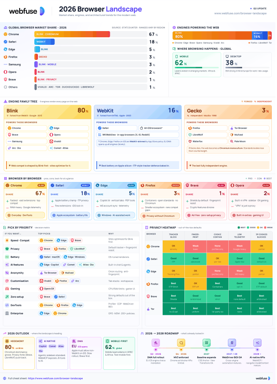
The 2026 Browser Landscape
Major Browsers, Engines, Privacy & Security
Quick reference to the 2026 web browser landscape - market share, engines (Blink, WebKit, Gecko), performance, privacy, extension risks, and a decision table for picking the right browser.
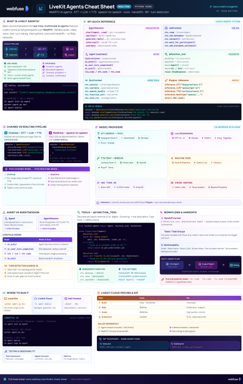
LiveKit Agents
Real-Time Voice & Multimodal AI
Complete quick reference for LiveKit Agents - architecture, chained vs realtime pipelines, STT/LLM/TTS integrations, tools, workflows, turn detection, and deployment.
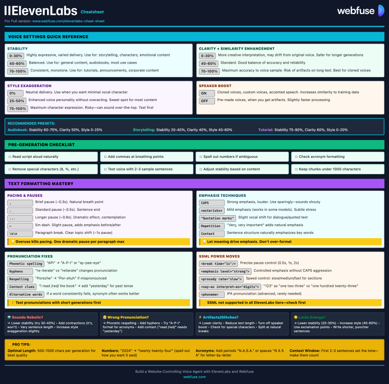
ElevenLabs
Models, Voices, API & Agents
Current quick reference for ElevenLabs models, voice cloning, streaming, API usage, and platform updates.
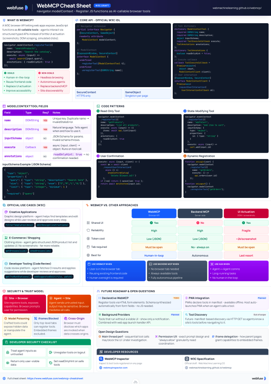
WebMCP
W3C Browser AI Tool API Reference
Complete quick reference for the W3C WebMCP browser API - register JavaScript functions as AI-callable tools with full IDL, code examples, and security guidance.
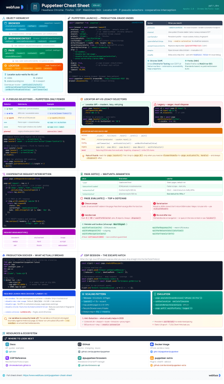
Puppeteer
Headless Chrome & Firefox Automation
Complete quick reference for Puppeteer v24 - Browser/Context/Page hierarchy, modern Locator API with pseudo-selectors, request interception, BiDi, and Docker production patterns.
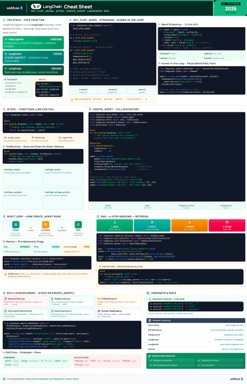
LangChain
LLM Agents, Tools, RAG & Models
Complete quick reference for LangChain - init_chat_model universal interface, @tool decorator, create_agent with memory and structured output, and full RAG pipeline.
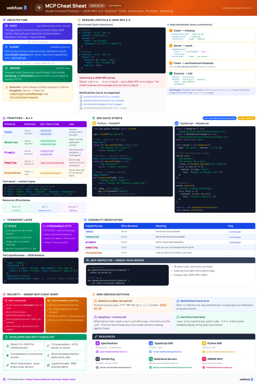
MCP
Model Context Protocol Reference
Complete quick reference for the Model Context Protocol - architecture, primitives (Tools, Resources, Prompts), JSON-RPC transport, security best practices, and ecosystem overview.
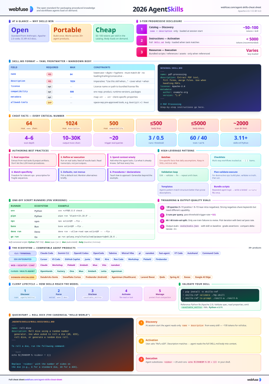
Agent Skills
SKILL.md Spec & Authoring Reference
Complete quick reference for Agent Skills - SKILL.md spec, progressive disclosure, directory conventions, authoring patterns, scripts, description optimization, output-quality evals, and client integration.