Agent Skills Cheat Sheet
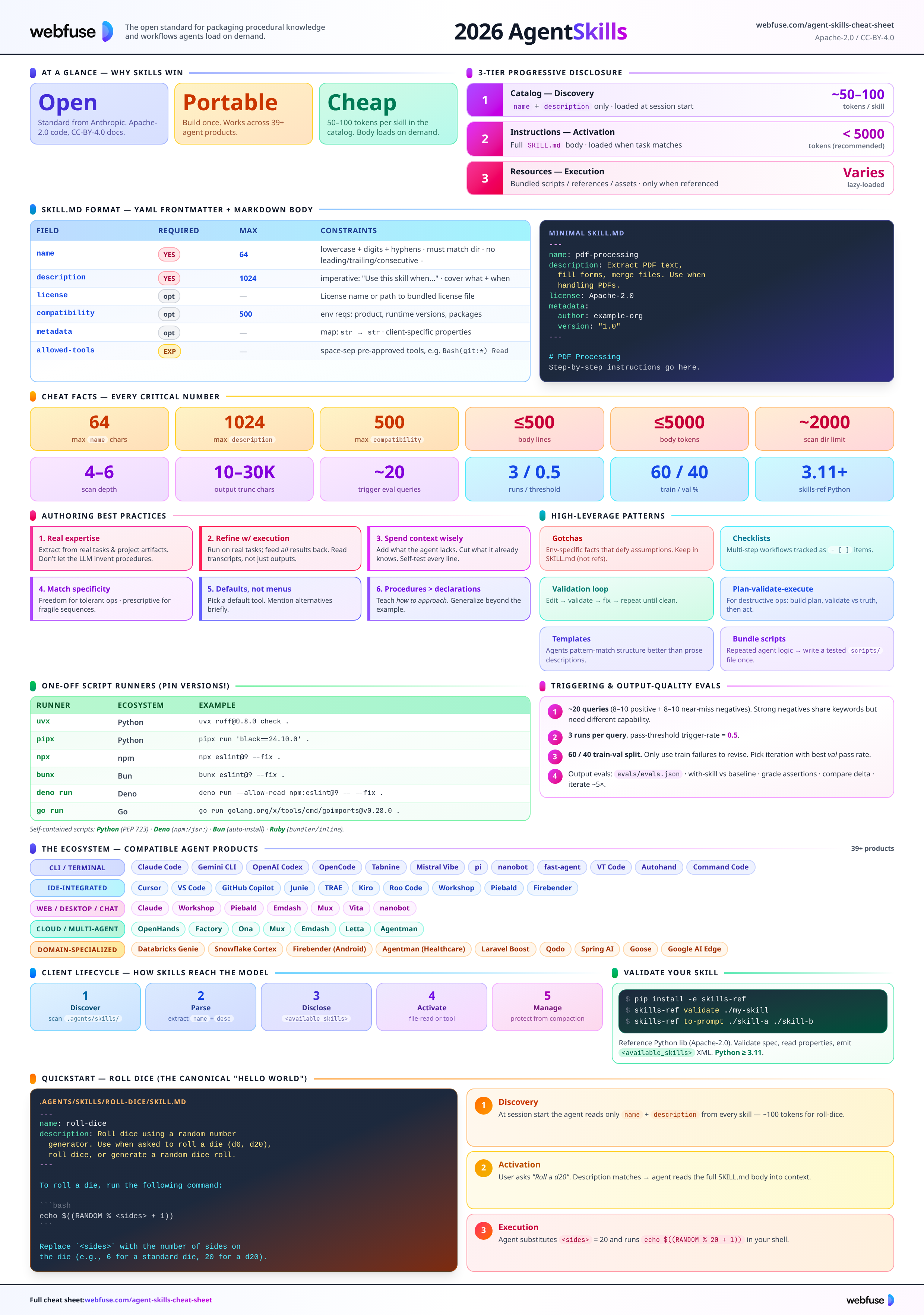
Complete quick reference for Agent Skills - the open standard for packaging procedural knowledge and workflows into portable folders agents load on demand. Spec, authoring, scripts, evals, and the ecosystem in one place.
What Are Agent Skills?
A lightweight, open format for packaging procedural knowledge agents can load on demand.
A skill is a folder with a SKILL.md
At its core, a skill is a folder containing a SKILL.md file with YAML frontmatter (metadata) plus a Markdown body (instructions). Skills can also bundle scripts, reference documents, templates, and other resources. They package domain expertise and team-specific context into portable, version-controlled folders that any compatible agent product can load.
What Skills Give You
Canonical Skill Layout
my-skill/
├── SKILL.md          # Required: metadata + instructions
├── scripts/          # Optional: executable code
├── references/       # Optional: docs read on demand
├── assets/           # Optional: templates, data
└── ...               # Any additional files
Folder name must match the name field after Unicode NFKC normalization.
The 3-Tier Progressive Disclosure Model
The central organising principle. Skills load in three tiers - an agent with 20 installed skills does not pay the token cost of 20 full instruction sets upfront.
| Tier | What's loaded | When | Token cost |
|---|---|---|---|
| 1. Catalog (Discovery) | name + description of every available skill | Session start | ~50-100 tokens per skill |
| 2. Instructions (Activation) | Full SKILL.md body | When a task matches | < 5000 tokens (recommended) |
| 3. Resources (Execution) | Bundled scripts / references / assets | Only when referenced | Varies |
Cheat Facts
Every critical number in one place.
namedescriptioncompatibilityCharacter & Syntax Rules - At a Glance
name: lowercase letters (i18n OK), digits, hyphens only. No _, no --, no leading/trailing -.name after NFKC normalization.--- and end with another ---.name, description, license, allowed-tools, metadata, compatibility. Anything else fails validation.SKILL.md (uppercase); skill.md accepted as fallback.python >= 3.11.Skills tell Claude how to do a thing.
Webfuse gives it a live browser to do it in.
SKILL.md Format
YAML frontmatter (metadata) + Markdown body (instructions).
Frontmatter Fields
| Field | Required | Constraints |
|---|---|---|
| name | Yes | Max 64 chars. Lowercase letters, digits, hyphens. No leading/trailing/consecutive hyphens. Must match parent directory name (NFKC normalized). |
| description | Yes | Max 1024 chars. Non-empty. Describes what the skill does and when to use it. |
| license | No | License name or reference to a bundled license file. |
| compatibility | No | Max 500 chars. Environment requirements (intended product, runtime versions, packages, network). Most skills don't need this. |
| metadata | No | Map of string → string for client-specific properties. Use unique keys to avoid conflicts. |
| allowed-tools | Exp. | Space-separated string of pre-approved tools (e.g. Bash(git:*) Bash(jq:*) Read). Experimental - support varies. |
Any field outside this set triggers Unexpected fields in frontmatter validation error.
Minimal SKILL.md
---
name: skill-name
description: A description of what this skill does and when to use it.
---

Step-by-step instructions in Markdown go here...
Only name and description are required.
Full SKILL.md
---
name: pdf-processing
description: Extract PDF text, fill forms,
  merge files. Use when handling PDFs.
license: Apache-2.0
compatibility: Requires Python 3.11+ and uv
metadata:
  author: example-org
  version: "1.0"
---
Writing the description Field
- • Imperative: "Use this skill when..."
- • Focus on user intent, not implementation
- • Err pushy - list contexts where it applies, even when the user doesn't name the domain
- • Include domain-adjacent keywords for fuzzy triggering
- • Keep concise (few sentences to short paragraph)
- •
Helps with PDFs.(too vague) - •
This skill does X(passive, not actionable) - • Internal mechanics ("uses pdfplumber library")
- • Anything over 1024 chars (validation error)
- • Unquoted values with colons - breaks YAML parsing
description: Process CSV files.description: Analyze CSV and tabular data files - compute summary statistics, add derived columns, generate charts, and clean messy data. Use this skill when the user has a CSV, TSV, or Excel file and wants to explore, transform, or visualize the data, even if they don't explicitly mention "CSV" or "analysis."Parsing Rules
- • File must start with
---at byte 0 - • Frontmatter closes with second
---line - • YAML must parse via strictyaml
- • Result must be a YAML mapping
- •
metadatasub-keys/values coerced tostr
Unquoted values containing a colon will break YAML:
description: Use this skill when: ...
Wrap in quotes or use a block scalar.
Directory Conventions
Where skills live, what goes inside, and how paths resolve.
Optional Subdirectories
Executable code the agent can run. Self-contained or document deps. Common languages: Python, Bash, JavaScript.
Docs read on demand: REFERENCE.md, FORMS.md, domain files. Keep files focused.
Static resources: templates, diagrams, schemas, lookup tables.
File Reference Rules
- Use relative paths from the skill root in
SKILL.mdand inreferences/*.md - The agent runs commands from the skill directory root
- Keep references one level deep - avoid nested reference chains
- Never use absolute paths inside a skill
# in SKILL.md
See [the reference](references/REFERENCE.md).

Run: scripts/extract.py
Where Skill Directories Live
The spec doesn't mandate location. Common conventions:
| Scope | Path |
|---|---|
| Project (native) | <project>/.<client>/skills/ |
| Project (interop) | <project>/.agents/skills/ |
| User (native) | ~/.<client>/skills/ |
| User (interop) | ~/.agents/skills/ |
.agents/skills/ is the widely-adopted cross-client convention.
Name Collisions & Trust
- • Project-level overrides user-level (universal)
- • Within same scope, pick first- or last-found and be consistent
- • Log a warning so the user knows a skill was shadowed
- • Project-level skills come from the repo - may be untrusted
- • Gate loading on a trust check (e.g. "trust this workspace")
- • Prevents untrusted repos from silently injecting instructions
Scripts in Skills
From one-off runners to bundled scripts - designed for agentic execution.
One-Off Runners (no scripts/ needed)
When an existing package does what you need, reference it directly in SKILL.md.
| Runner | Ecosystem | Ships with | Example |
|---|---|---|---|
| uvx | Python | Separate (uv) | uvx ruff@0.8.0 check . |
| pipx | Python | Separate | pipx run 'black==24.10.0' . |
| npx | npm | Node.js | npx eslint@9 --fix . |
| bunx | Bun | Bun | bunx eslint@9 --fix . |
| deno run | Deno | Deno | deno run --allow-read npm:eslint@9 -- --fix . |
| go run | Go | Go | go run golang.org/x/tools/cmd/goimports@v0.28.0 . |
@9.0.0) for stable behavior.SKILL.md or compatibility:.scripts/.Python (PEP 723)
# /// script
# dependencies = [
#   "beautifulsoup4",
# ]
# ///
from bs4 import BeautifulSoup
...
Run with uv run scripts/extract.py. Pin via PEP 508 ("beautifulsoup4>=4.12,<5"). Lock with uv lock --script.
Deno
#!/usr/bin/env -S deno run
import * as cheerio
  from "npm:cheerio@1.0.0";
...
npm:/jsr: specifiers + semver pins. Cached globally; --reload to re-fetch. Node-gyp native addons may not work.
Bun
import * as cheerio
  from "cheerio@1.0.0";
Auto-installs missing packages if no node_modules exists anywhere up the tree. TypeScript native. Gotcha: any ancestor node_modules disables auto-install.
Ruby (bundler/inline)
require 'bundler/inline'
gemfile do
  source 'https://rubygems.org'
  gem 'nokogiri', '~> 1.16'
end
Bundler ships with Ruby ≥ 2.6. Pin explicitly - no lockfile. Beware existing Gemfile / BUNDLE_GEMFILE in cwd.
Designing Scripts for Agentic Use
Hard requirement. Agents run in non-interactive shells. Accept input via flags/env/stdin. TTY prompts hang forever.
Primary way the agent learns the interface. Brief description, flags, examples. Keep concise - output enters the context window.
"Error: --format must be one of: json, csv, table. Received: xml" - the message shapes the next attempt.
Prefer JSON/CSV/TSV. Data → stdout, diagnostics → stderr.
Agents retry. "Create if not exists" > "fail on duplicate". Add --dry-run for destructive ops.
Many harnesses truncate beyond ~10-30K chars. Default to summary; support --output file or pagination flags.
Triggering & Evals
A skill only helps if it activates - and a skill is only as good as its measured output quality.
How Triggering Works
At startup the agent loads only name + description. When a task matches a description, the agent reads the full SKILL.md. The description carries the entire burden of triggering.
Trigger Eval Queries
Aim for ~20 queries: 8-10 should-trigger, 8-10 should-not-trigger.
[
  { "query": "add a profit margin col...",
    "should_trigger": true },
  { "query": "convert json to yaml",
    "should_trigger": false }
]- • Vary phrasing: formal, casual, typos, abbreviations
- • Vary explicitness: some name the domain, some don't
- • Strong negatives = near-misses (share keywords but need different capability)
- • Include file paths, personal context, realistic details
Running & Scoring
- • Run each query 3 times; compute trigger rate
- •
should_trigger=truepasses if rate > 0.5 - •
should_trigger=falsepasses if rate < 0.5 - • Stop a run early once outcome is clear - saves cost
~60% train / ~40% val. Only use train failures to guide changes. Pick the iteration with the best validation pass rate - not necessarily the last.
Description Optimization Loop
- Evaluate on train + val
- Identify failures in train set only
- Revise:
- – Should-trigger fails → too narrow; broaden scope
- – False-triggers → too broad; add specificity, clarify boundary vs adjacent capabilities
- – Avoid adding specific keywords from failed queries - that's overfitting
- – Stay under 1024 chars
- Repeat until train passes or improvements plateau (~5 iterations usually enough)
- Select best by validation pass rate
Output-Quality Evals (evals.json)
Run each case with the skill and without (baseline). Compare. Stored at <skill>/evals/evals.json.
- • Prompt - realistic user message
- • Expected output - human-readable description of success
- • Files (optional) - inputs the skill works with
- • Start with 2-3 cases. Don't over-invest pre-first-round.
- • Add after seeing first round of outputs
- • Verifiable + specific ("3 bars", "labeled axes")
- • Avoid "is good" or "exactly phrase X"
- • Code-checkable → use a script; subjective → human review
csv-analyzer-workspace/
└── iteration-1/
    ├── eval-top-months-chart/
    │   ├── with_skill/
    │   │   ├── outputs/
    │   │   ├── timing.json     # tokens + duration
    │   │   └── grading.json    # assertion results
    │   └── without_skill/...
└── benchmark.json # aggregated stats+13s + +50pp pass rate → probably worth it. 2× token usage + 2pp improvement → probably not. - • Always-pass in both → assertion too easy. Remove/replace.
- • Always-fail in both → assertion broken or task too hard. Fix before next iteration.
- • Pass-with / fail-without → where the skill adds value. Understand why.
- • High stddev → flaky eval or ambiguous instructions. Add examples.
Iteration Loop - Three Signal Sources
Specific gaps - missing step, unclear instruction, unhandled case.
Broader quality issues - wrong approach, poor structure.
Why things went wrong. Ignored instruction → ambiguous. Wasted steps → simplify.
scripts/. A skill can describe a workflow. It cannot click through one.
Webfuse runs it in the live session.
Client Integration
For tool builders: the full lifecycle - Discover → Parse → Disclose → Activate → Manage.
Discover
At session startup, scan for subdirectories containing a file named exactly SKILL.md.
- • Skip
.git/,node_modules/; optionally respect.gitignore - • Bound the scan: max depth 4-6, max ~2000 dirs
- • Cloud/sandbox: provision user/org skills via config repo, URLs, or uploads
- • Built-in skills: package as static assets in the deployment artifact
Parse SKILL.md
- • Find opening
---, find closing, parse YAML, body = rest - • Extract
name+description+ optional fields - • Handle unquoted-colon descriptions gracefully (wrap in quotes and retry)
- • Lenient validation: warn but load when possible; skip if no description or YAML unparseable
- • Store at minimum:
name,description,location - • Body: eager (faster) or lazy (less memory, picks up live edits)
Disclose to the Model
- • System prompt section - simplest, broadly compatible
- • Tool description - embed in an
activate_skilltool's description
If no skills discovered, omit the catalog entirely - no empty <available_skills/>.
<available_skills>
  <skill>
    <name>pdf-processing</name>
    <description>Extract PDF text...</description>
    <location>/home/.../SKILL.md</location>
  </skill>
</available_skills>
Activate
Model calls its file-read tool with the catalog's location path. Simplest when the model has file access.
activate_skill tool- • Control content (strip/preserve frontmatter)
- • Wrap in structured tags
- • List bundled resources
- • Enforce permissions
- • Constrain
nameparam to known skills (enum)
<skill_content name="pdf-processing">
# PDF Processing
[body of SKILL.md]

Skill directory: /home/user/.agents/skills/pdf-processing
<skill_resources>
  <file>scripts/extract.py</file>
  <file>references/pdf-spec-summary.md</file>
</skill_resources>
</skill_content>
List bundled resources but don't eagerly read them. Model loads on demand.
/skill-name) or mention syntax intercepted by the harness, which injects content directly. Manage Skill Context Over Time
Skill content is durable behavioral guidance. Losing it silently degrades performance. Flag as protected; use structured tags to identify it during pruning.
Track which skills are already in context; skip re-injection.
For complex workflows, run the skill in a separate subagent session that returns a summary - keeps the main session focused.
Validation - skills-ref
Reference Python library (Apache-2.0). Validate, read properties, and generate <available_skills> prompts. Intended for demonstration - not production use.
Install
python -m venv .venv
source .venv/bin/activate
pip install -e .
uv sync
source .venv/bin/activate
python -m venv .venv
.venv\Scripts\Activate.ps1
pip install -e .
Requires Python ≥ 3.11. Runtime deps: click>=8.0, strictyaml>=1.7.3.
CLI
Validate a skill. Exit 0 = valid, 1 = errors (printed on stderr).
Output skill properties as JSON.
Emit <available_skills> XML for agent prompts (one or more dirs).
All commands also accept a path directly to SKILL.md.
Python API
from pathlib import Path
from skills_ref import validate, read_properties, to_prompt

# Validate a skill directory
problems = validate(Path("my-skill"))
if problems:
    print("Validation errors:", problems)

# Read skill properties
props = read_properties(Path("my-skill"))
print(f"Skill: {props.name} - {props.description}")

# Generate prompt for available skills
prompt = to_prompt([Path("skill-a"), Path("skill-b")])
Exports: SkillError, ParseError, ValidationError, SkillProperties, find_skill_md, validate, read_properties, to_prompt.
Exact Error Messages
| Condition | Message |
|---|---|
Missing leading --- | SKILL.md must start with YAML frontmatter (---) |
| Unclosed frontmatter | SKILL.md frontmatter not properly closed with --- |
| YAML parse fail | Invalid YAML in frontmatter: ... |
| Non-mapping result | SKILL.md frontmatter must be a YAML mapping |
| Unknown field | Unexpected fields in frontmatter: [...] |
| name > 64 chars | Skill name '...' exceeds 64 character limit (N chars) |
| name not lowercase | Skill name '...' must be lowercase |
| leading/trailing hyphen | Skill name cannot start or end with a hyphen |
| consecutive hyphens | Skill name cannot contain consecutive hyphens |
| invalid character | Skill name '...' contains invalid characters. Only letters, digits, and hyphens are allowed. |
| dir mismatch | Directory name '...' must match skill name '...' |
| description > 1024 | Description exceeds 1024 character limit (N chars) |
| compatibility > 500 | Compatibility exceeds 500 character limit (N chars) |
Quickstart - Roll Dice
The canonical "hello world" example, works in any compatible agent.
Create the skill
Path: .agents/skills/roll-dice/SKILL.md
---
name: roll-dice
description: Roll dice using a random number
  generator. Use when asked to roll a die
  (d6, d20, etc.), roll dice, or generate
  a random dice roll.
---

To roll a die, use the following command that
generates a random number from 1 to the given
number of sides:

```bash
echo $((RANDOM % <sides> + 1))
```

```powershell
Get-Random -Minimum 1 -Maximum (<sides> + 1)
```

Replace `<sides>` with the number of sides
on the die (e.g., 6 for a standard die,
20 for a d20).
Try it (VS Code + Copilot)
- Open the project in VS Code.
- Open the Copilot Chat panel.
- Select Agent mode from the mode dropdown.
- Type
/skillsto confirmroll-diceappears. - Ask: "Roll a d20".
What Happens Behind the Scenes
At session start, agent scans default skill dirs and reads only name + description.
Agent matches your question to the description, loads the full SKILL.md body.
Agent follows instructions, substituting <sides> = 20 and running the shell.
Resources & Checklist
Primary sources, related tooling, and a printable authoring checklist.
Official Sources
Example Skills & Tooling
Authoring Checklist
Ready to let your AI agent act on the live web?
Headless browsers give your agent a copy of the web. Webfuse gives it the session your user is actually in — over MCP, with no install.
- No credit card
- Free forever plan
- Quick setup
More Cheatsheets
Other quick-reference guides you might find useful.
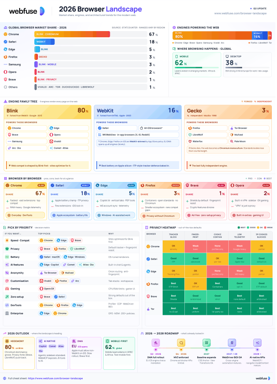
The 2026 Browser Landscape
Major Browsers, Engines, Privacy & Security
Quick reference to the 2026 web browser landscape - market share, engines (Blink, WebKit, Gecko), performance, privacy, extension risks, and a decision table for picking the right browser.
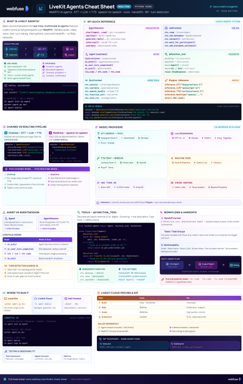
LiveKit Agents
Real-Time Voice & Multimodal AI
Complete quick reference for LiveKit Agents - architecture, chained vs realtime pipelines, STT/LLM/TTS integrations, tools, workflows, turn detection, and deployment.
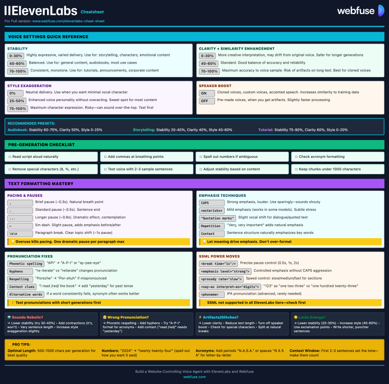
ElevenLabs
Models, Voices, API & Agents
Current quick reference for ElevenLabs models, voice cloning, streaming, API usage, and platform updates.
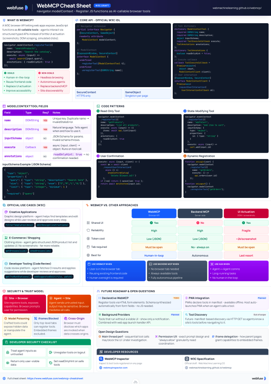
WebMCP
W3C Browser AI Tool API Reference
Complete quick reference for the W3C WebMCP browser API - register JavaScript functions as AI-callable tools with full IDL, code examples, and security guidance.
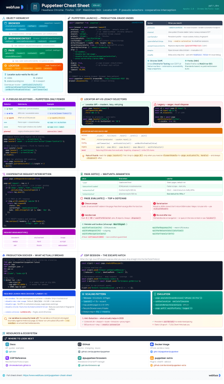
Puppeteer
Headless Chrome & Firefox Automation
Complete quick reference for Puppeteer v24 - Browser/Context/Page hierarchy, modern Locator API with pseudo-selectors, request interception, BiDi, and Docker production patterns.
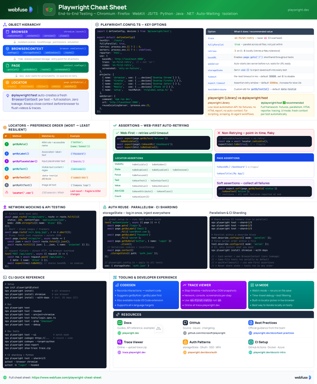
Playwright
End-to-End Testing & Browser Automation
Complete quick reference for Playwright - Browser/Context/Page/Locator primitives, locator strategies, web-first assertions, Codegen, Trace Viewer, language bindings, and best practices.
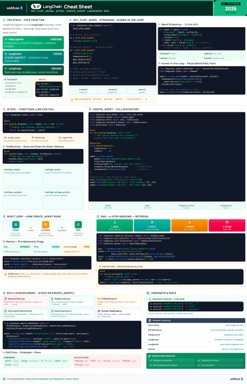
LangChain
LLM Agents, Tools, RAG & Models
Complete quick reference for LangChain - init_chat_model universal interface, @tool decorator, create_agent with memory and structured output, and full RAG pipeline.
MCP
Model Context Protocol Reference
Complete quick reference for the Model Context Protocol - architecture, primitives (Tools, Resources, Prompts), JSON-RPC transport, security best practices, and ecosystem overview.