Puppeteer Cheat Sheet
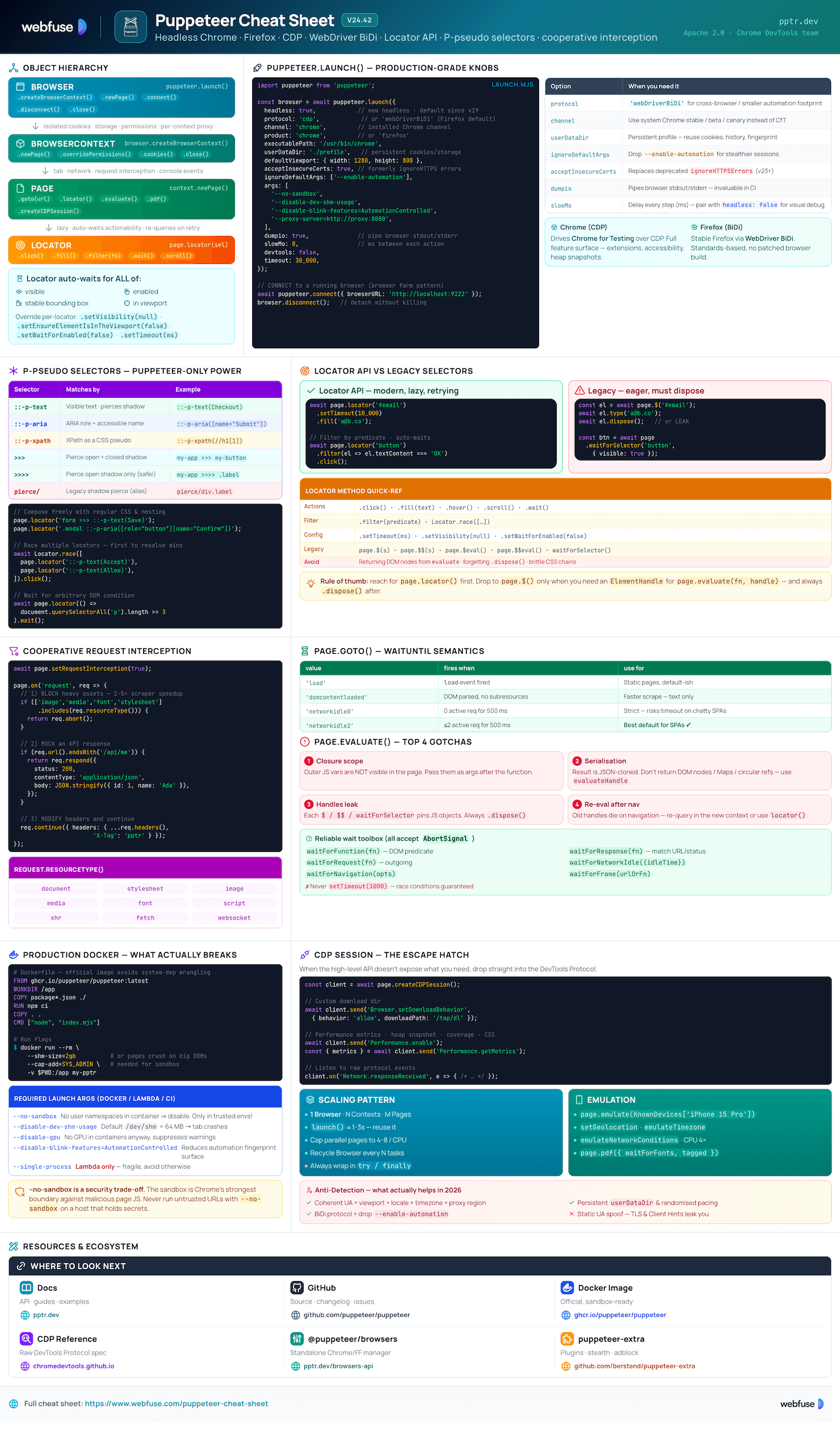
Complete quick reference for Puppeteer - the high-level Node.js library for driving Chrome and Firefox over the DevTools Protocol or WebDriver BiDi. Headless by default, scripted automation, scraping, and PDF rendering.
What Is Puppeteer?
High-level Node.js library for headless Chrome and Firefox - scripted automation, scraping, testing, and PDF generation
The Core Idea
Puppeteer is a Chrome DevTools team-maintained Node.js library (Apache 2.0) that drives a real browser - Chrome for Testing by default, or Firefox via WebDriver BiDi. It speaks the Chrome DevTools Protocol (CDP) directly, giving fine-grained control of every page event: navigation, network, console, performance, accessibility. Modern Puppeteer favours the Locator API (auto-waits + actionability) over the legacy $/waitForSelector flow, and ships headless by default.
puppeteer vs puppeteer-core
Full package. Downloads a matching Chrome for Testing build (~170-282 MB) into ~/.cache/puppeteer on install. Pick this for local dev and self-contained CI.
$ npm i puppeteer
import puppeteer from 'puppeteer';
Library only - no browser download. Use when you bring your own Chrome (system install, Lambda layer, container) or connect to a remote endpoint.
$ npm i puppeteer-core
import puppeteer from 'puppeteer-core';
Core Strengths
page.locator() auto-waits for visibility, enabledness, stable bbox.::-p-text, ::-p-aria, ::-p-xpath, >>> shadow-piercing.createBrowserContext() for clean session boundaries.Browsers & Protocols
Drives Chrome for Testing over CDP. Full feature surface - extensions, accessibility, heap snapshots, screencast.
Stable Firefox via WebDriver BiDi (default). No browser patching, standards-based protocol.
headless: true (new headless, real Chrome rendering pipeline) is the default. Set false to run headed for debugging.
Pick per-launch with protocol: 'cdp' or 'webDriverBiDi'.
Key Terminology
puppeteer.launch() or attach with connect().createIncognitoBrowserContext.Page..dispose()) to avoid leaks. Prefer Locator.page.createCDPSession(). Escape hatch for features not in the high-level API.Puppeteer drives a fresh Chromium instance.
Webfuse drives the live session instead.
Installation & Setup
Install, configure browser caching, and run reliably in containers
Hello-World Script
Minimal end-to-end: install, launch, navigate, screenshot, close.
$ npm i puppeteer

// hello.mjs
import puppeteer from 'puppeteer';

const browser = await puppeteer.launch();
const page = await browser.newPage();

await page.goto('https://pptr.dev', { waitUntil: 'networkidle2' });
await page.screenshot({ path: 'pptr.png', fullPage: true });

await browser.close();
Configuration File
Puppeteer searches up the directory tree for .puppeteerrc.cjs, .puppeteerrc.json, or puppeteer.config.js. Use it to control browser downloads and the cache directory.
// .puppeteerrc.cjs
const { join } = require('path');

module.exports = {
  chrome:  { skipDownload: false },
  firefox: { skipDownload: false },
  cacheDirectory: join(__dirname, '.cache', 'puppeteer'),
};
After changing config, sync browsers:
$ npx puppeteer browsers installEnvironment Variables
Override config without touching files - handy for CI, Docker, and serverless.
PUPPETEER_CACHE_DIRWhere browsers are stored (default: ~/.cache/puppeteer).
PUPPETEER_EXECUTABLE_PATHUse a system Chrome instead of downloading. Required with puppeteer-core.
PUPPETEER_SKIP_CHROMIUM_DOWNLOADSkip the post-install browser download.
HTTP_PROXY · HTTPS_PROXYTunnel browser downloads through a corporate proxy.
DEBUG=puppeteer:*Verbose protocol/runtime logs - turn on for diagnostics.
@puppeteer/browsers CLI
Standalone CLI for managing Chrome / Firefox builds outside the Puppeteer install lifecycle. Useful for prebuilt CI images.
# Install latest stable Chrome for Testing
$ npx @puppeteer/browsers install chrome@stable

# Install Firefox stable
$ npx @puppeteer/browsers install firefox@stable

# List installed builds
$ npx @puppeteer/browsers list

# Pin a specific revision (use the version you want)
$ npx @puppeteer/browsers install chrome@<version>
Docker & CI
Containerised Chrome needs sandbox flags relaxed and a larger /dev/shm. Use the official image to skip system-dep wrangling.
# Dockerfile
FROM ghcr.io/puppeteer/puppeteer:latest

WORKDIR /app
COPY package*.json ./
RUN npm ci
COPY . .
CMD ["node", "index.mjs"]
$ docker run --rm \
    --shm-size=2gb \
    --cap-add=SYS_ADMIN \
    -v $PWD:/app \
my-pptr-imageargs: [ '--no-sandbox', '--disable-setuid-sandbox', '--disable-dev-shm-usage', '--disable-gpu', ]
--no-sandbox on a host that holds secrets.Core API
Browser → BrowserContext → Page hierarchy, launch options, and remote connections
The Object Hierarchy
Each level adds isolation. Reuse the Browser, create fresh BrowserContexts for parallel work, and Pages for tabs.
const browser  = await puppeteer.launch({ headless: true });
const context  = await browser.createBrowserContext();   // isolated session
const page     = await context.newPage();                  // or browser.newPage() for default ctx

await page.goto('https://example.com');
// ... do work ...

await page.close();
await context.close();      // drops cookies + storage
await browser.close();
Launch Options
Production-ready defaults with explicit comments for each knob.
await puppeteer.launch({
  headless: true,        // false for visual debug
  slowMo: 0,             // ms between steps
  protocol: 'cdp',        // 'webDriverBiDi' for Firefox
  product: 'chrome',      // or 'firefox'
  channel: 'chrome',      // installed Chrome channel
  executablePath: '/usr/bin/chrome',
  userDataDir: './profile',// persistent cookies
  defaultViewport: { width: 1280, height: 800 },
  acceptInsecureCerts: true,
  ignoreDefaultArgs: ['--enable-automation'],
  args: [
    '--no-sandbox',
    '--disable-dev-shm-usage',
    '--disable-blink-features=AutomationControlled',
  ],
  dumpio: true,           // pipe browser stdio
  timeout: 30_000,
});
BrowserContext - Isolation
Cheap session boundary - separate cookies, storage, permissions, even per-context proxies. Replaces the deprecated createIncognitoBrowserContext.
// Per-context proxy + clean session
const ctx = await browser.createBrowserContext({
  proxyServer: 'http://proxy:8080',
  proxyBypassList: ['localhost'],
});

await ctx.overridePermissions(
  'https://app.example.com',
  ['geolocation', 'notifications']
);

const page = await ctx.newPage();
// ... when done
await ctx.close();
Connecting to a Running Browser
Reuse a long-lived browser process - faster cold starts and ideal for browser farms.
// 1. Start Chrome with a remote port
$ chrome --remote-debugging-port=9222

// 2. Attach
const browser = await puppeteer.connect({
  browserURL: 'http://localhost:9222',
  // or browserWSEndpoint: 'ws://...'
});

// disconnect WITHOUT closing
browser.disconnect();
Use puppeteer-core for connect-only setups - skips the bundled Chrome download.
Bulletproof Cleanup
Always close the browser even on errors - orphaned Chrome processes leak memory and file descriptors.
const browser = await puppeteer.launch();
try {
  const page = await browser.newPage();
  await page.goto(url, { waitUntil: 'networkidle2', timeout: 30_000 });
  return await page.content();
} catch (err) {
  console.error('Scrape failed:', err);
  throw err;
} finally {
  await browser.close();   // runs on success AND failure
}
Locators & Selectors
Modern Locator API with auto-waiting, P-pseudo selectors, and shadow-DOM piercing
Preferred - Locator API
page.locator() returns a lazy handle. Before each action it auto-waits for the element to be visible, enabled, have a stable bounding box, and be in the viewport. No more waitForSelector + click dance.
await page.locator('button.submit').click();
await page.locator('#email').fill('a@b.co');
await page.locator('.tooltip').hover();
await page.locator('#footer').scroll();
await page.locator('.spinner').wait();
await page.locator('#late')
  .setTimeout(10_000)
  .setVisibility(null) // don't require visible
  .setEnsureElementIsInTheViewport(false)
  .setWaitForEnabled(false)
  .click();
P-Pseudo Selectors
Puppeteer-only selector extensions - text, ARIA, XPath, all composable with regular CSS.
// Visible text (works inside shadow DOM)
page.locator('::-p-text(Checkout)');

// ARIA role + accessible name
page.locator(
  '::-p-aria([name="Submit"][role="button"])'
);

// XPath as a selector
page.locator('::-p-xpath(//h1[1])');

// Compose with regular CSS
page.locator(
  'form >>> ::-p-text(Save)'
);
P-selectors prefer user-facing attributes over fragile CSS paths - much more resilient to DOM refactors.
Shadow DOM Piercing
Web Components hide internals behind shadow roots. Puppeteer pierces them with >>> (closed/open) and >>>> (open only).
// Cross any shadow boundary
page.locator(
  'my-app >>> my-button'
);

// Open shadow DOM only (safer)
page.locator(
  'my-app >>>> .label'
);

// Combined with text selector
page.locator(
  'my-modal >>> ::-p-text(Confirm)'
).click();
Filtering, Custom Predicates & Conditional Wait
Locators accept callbacks for filtering and even arbitrary conditions on the page.
// Filter by predicate
await page
  .locator('button')
  .filter(el => el.textContent === 'My button')
  .click();

// Wait for an arbitrary DOM condition
await page
  .locator(() => document.querySelectorAll('p').length >= 3)
  .wait();

// Race multiple locators (first to resolve wins)
await Locator.race([
  page.locator('::-p-text(Accept)'),
  page.locator('::-p-text(Allow)'),
]).click();
Legacy Selectors (still supported)
Use these only when you need the eager ElementHandle - e.g. passing an element into page.evaluate or computing client-side metrics.
// Single match (or null)
const el = await page.$('#main h1');

// All matches
const rows = await page.$$('tr.row');

// Wait for selector + return handle
const btn = await page.waitForSelector(
  'button[disabled=false]',
  { visible: true, timeout: 5000 }
);
// Quick eval shortcuts
const title = await page.$eval(
  'h1', el => el.textContent
);

const hrefs = await page.$$eval(
  'a', links => links.map(a => a.href)
);

// IMPORTANT: dispose handles
await el.dispose();
$/$$/waitForSelector call returns a handle that pins JS objects in the browser. Always .dispose() or use the Locator API.Network, Navigation & Waits
Request interception, navigation, cookies, and reliable waiting strategies
Navigation
Pick the right waitUntil for the page you're on. networkidle2 is a good default for SPAs that fire trickling analytics requests.
await page.goto(url, {
  waitUntil: 'networkidle2', // or 'load' / 'domcontentloaded' / 'networkidle0'
  timeout: 30_000,
  referer: 'https://example.com',
});

await page.goBack();
await page.goForward();
await page.reload();
load: load event fired. networkidle0: 0 active requests for 500ms. networkidle2: ≤2 active requests for 500ms.
Waiting Strategies
Always wait for a condition, not a fixed sleep. Most waitFor* APIs accept an AbortSignal.
// Until predicate is true in the page
await page.waitForFunction(
  () => document.title.includes('Loaded'),
  { polling: 'raf', timeout: 10_000 }
);

// Until network quiets down
await page.waitForNetworkIdle({
  idleTime: 500,
  concurrency: 0,
});

// Until matching response
await page.waitForResponse(
  res => res.url().includes('/api/user') && res.ok()
);

// AbortSignal for app-level timeout
const ac = new AbortController();
setTimeout(() => ac.abort(), 5000);
await page.waitForSelector('#ok', { signal: ac.signal });
Cooperative Request Interception
Block heavy assets, modify headers, or stub responses. Multiple handlers compose - use request.continue() only if no other handler responds.
await page.setRequestInterception(true);

page.on('request', req => {
  const blocked = ['image', 'media',
                   'font', 'stylesheet'];
  if (blocked.includes(req.resourceType())) {
    req.abort();
  } else {
    req.continue();
  }
});
page.on('request', req => {
  if (req.url().endsWith('/api/me')) {
    return req.respond({
      status: 200,
      contentType: 'application/json',
      body: JSON.stringify({ id: 1, name: 'Ada' }),
    });
  }
  req.continue();
});
continue, abort, or respond exactly once. Resource types: document, stylesheet, image, media, font, script, xhr, fetch, websocket, ...Cookies, Headers & Auth
// Custom HTTP headers
await page.setExtraHTTPHeaders({
  'X-Custom': 'value',
  'Accept-Language': 'en-US',
});

// Basic auth
await page.authenticate({
  username: 'user', password: 'pass'
});

// Cookies
await page.setCookie({
  name: 'session', value: 'abc',
  domain: '.example.com', secure: true,
});

await browser.deleteMatchingCookies({ name: 'session' });
Evaluating in the Page
Code passed to evaluate runs in the browser. Variables don't cross - pass them as args.
const count = await page.evaluate(
  (selector) => document.querySelectorAll(selector).length,
  '.row'      // passed as arg
);

// Use a handle in evaluate
const btn = await page.$('button');
const rect = await page.evaluate(
  el => el.getBoundingClientRect().toJSON(),
  btn
);
await btn.dispose();
evaluate - results are JSON-serialised. Return primitives or use evaluateHandle.Headless runs start logged out, every time.
Webfuse starts in a live , signed-in session.
Screenshots, PDF & Emulation
Capture, render print-quality PDFs, and emulate devices, geolocation, network, and permissions
Screenshots
// Full-page PNG
await page.screenshot({
  path: 'shot.png',
  fullPage: true,
  omitBackground: true, // transparent BG
});

// Region clip
await page.screenshot({
  path: 'hero.jpg',
  type: 'jpeg',
  quality: 85,
  clip: { x: 0, y: 0, width: 1200, height: 600 },
});

// Single element
await page.locator('.card').screenshot({ path: 'card.png' });
Returns a Buffer when path is omitted - useful for streaming uploads.
PDF Generation
Chrome's print pipeline. waitForFonts defaults to true - no more flash-of-fallback-font.
await page.pdf({
  path: 'invoice.pdf',
  format: 'A4',           // or 'Letter', etc.
  printBackground: true,
  preferCSSPageSize: true, // honour @page CSS
  margin: { top: '1cm', bottom: '1cm' },
  displayHeaderFooter: true,
  headerTemplate: '<div>Header</div>',
  footerTemplate: '<div><span class="pageNumber"></span></div>',
  waitForFonts: true,
  tagged: true,         // accessible PDF
});
Device Emulation
import { KnownDevices } from 'puppeteer';

const iPhone = KnownDevices['iPhone 15 Pro'];
await page.emulate(iPhone);

// Manual override
await page.setViewport({
  width: 390, height: 844,
  deviceScaleFactor: 3, isMobile: true,
  hasTouch: true,
});

await page.setUserAgent(
  'Mozilla/5.0 (iPhone; ...)'
);
Geolocation, Permissions, Network
// Per-context permissions
await context.overridePermissions(
  'https://maps.example.com',
  ['geolocation', 'clipboard-read']
);

await page.setGeolocation({
  latitude: 52.520008, longitude: 13.404954
});

// Time zone & locale
await page.emulateTimezone('Europe/Berlin');

// Throttle network
await page.emulateNetworkConditions({
  offline: false,
  download: 1.5 * 1024 * 1024 / 8,
  upload:   750 * 1024 / 8,
  latency:  40,
});

await page.emulateCPUThrottling(4); // 4× slower
Keyboard, Mouse & File Uploads
await page.keyboard.type('hello', { delay: 50 });
await page.keyboard.press('Enter');
await page.keyboard.down('Shift');

await page.mouse.move(100, 200);
await page.mouse.click(100, 200, { button: 'right' });
await page.mouse.wheel({ deltaY: 500 });
// File input
const input = await page.$('input[type=file]');
await input.uploadFile('./report.pdf');

// Set download dir (CDP)
const client = await page.createCDPSession();
await client.send('Browser.setDownloadBehavior', {
  behavior: 'allow',
  downloadPath: '/tmp/dl',
});
Best Practices & Gotchas
Performance, debugging, anti-detection reality, and the pitfalls that bite everyone exactly once
Performance & Scaling
launch() is the heaviest call - 1-3s. Spin up many BrowserContexts instead.page.close(), context.close(), dispose handles. Watch for orphan Chromes in ps.Debugging
# Watch what the browser is doing
$ DEBUG=puppeteer:* node script.mjs

// Run headed + slowed
puppeteer.launch({
  headless: false,
  slowMo: 250,
  devtools: true,
  dumpio: true, // pipe browser stderr/stdout
});

// Browser console → Node logs
page.on('console', m => console.log(m.type(), m.text()));
page.on('pageerror', e => console.error(e));
page.on('requestfailed', r => console.warn(r.url(), r.failure()));
Drop debugger; inside page.evaluate + devtools: true to step through page-side code.
Common Pitfalls
Acting before the element is ready. Fix: prefer the Locator API or explicit waitFor* - never setTimeout.
Every $/$$/waitForSelector returns an ElementHandle that pins JS objects. Always .dispose().
evaluateResults are JSON-serialised. Return primitives or use evaluateHandle if you really need a node.
evaluateOuter-scope variables aren't visible in the page. Pass them as args after the function.
Long descendant chains break. Prefer ::-p-text, ::-p-aria, or data-testid.
Selector tools in DevTools give plain CSS - they don't know about ::-p-* or shadow piercing.
Forgetting browser.close() in error paths. Always wrap in try / finally.
Crashes on large pages. Use --shm-size=2gb or pass --disable-dev-shm-usage.
Anti-Detection Reality (2026)
Stealth is an arms race - none of these are permanent. Use them only for legitimate automation against systems where you have permission.
- Coherent fingerprint: UA + viewport + locale + timezone + proxy region all match.
- Persistent profile via
userDataDir- reuse cookies, history, fonts. - Human pacing: randomised delays, mouse movement, scrolling before clicks.
- WebDriver BiDi - smaller automation footprint than legacy CDP flags.
--disable-blink-features=AutomationControlled+ drop--enable-automationfrom default args.
puppeteer-extra-plugin-stealthstill works for many targets, but breaks intermittently after major Chrome rolls.- Static UA spoofing - bot detectors check Client Hints and TLS fingerprints too.
- Pure-headless against fingerprint-heavy targets - run headed in
Xvfbif needed.
robots.txt, ToS, and rate limits. Anti-detection is a tool, not a license.Official Resources
Primary sources - docs, API references, GitHub, and the surrounding ecosystem
Official Documentation
API Class References
Ecosystem & Adjacent Tools
GitHub Repository
/packages/puppeteer/ - main library/packages/puppeteer-core/ - browser-less variant/packages/browsers/ - download CLI/docs/ - generated referenceReady to let your AI agent act on the live web?
Headless browsers give your agent a copy of the web. Webfuse gives it the session your user is actually in — over MCP, with no install.
- No credit card
- Free forever plan
- Quick setup
More Cheatsheets
Other quick-reference guides you might find useful.
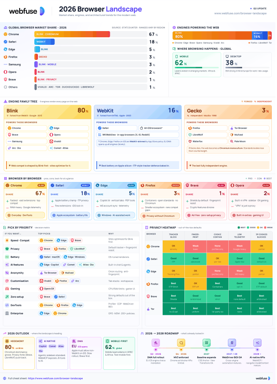
The 2026 Browser Landscape
Major Browsers, Engines, Privacy & Security
Quick reference to the 2026 web browser landscape - market share, engines (Blink, WebKit, Gecko), performance, privacy, extension risks, and a decision table for picking the right browser.
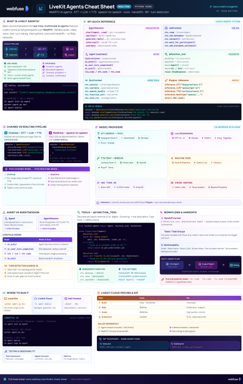
LiveKit Agents
Real-Time Voice & Multimodal AI
Complete quick reference for LiveKit Agents - architecture, chained vs realtime pipelines, STT/LLM/TTS integrations, tools, workflows, turn detection, and deployment.
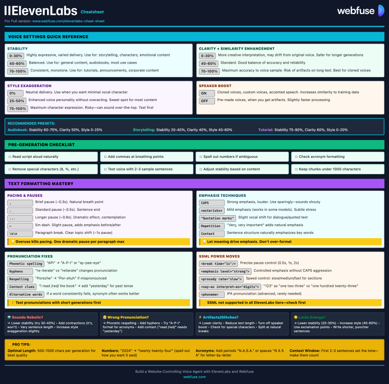
ElevenLabs
Models, Voices, API & Agents
Current quick reference for ElevenLabs models, voice cloning, streaming, API usage, and platform updates.
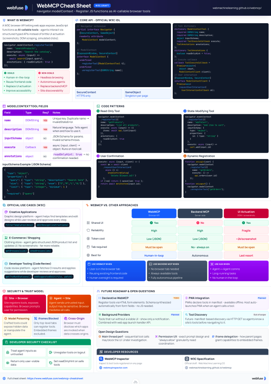
WebMCP
W3C Browser AI Tool API Reference
Complete quick reference for the W3C WebMCP browser API - register JavaScript functions as AI-callable tools with full IDL, code examples, and security guidance.
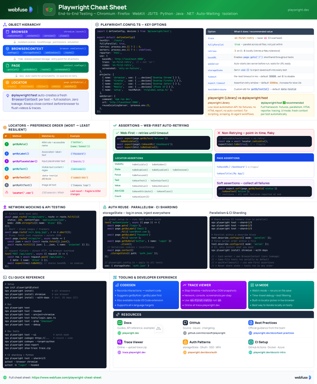
Playwright
End-to-End Testing & Browser Automation
Complete quick reference for Playwright - Browser/Context/Page/Locator primitives, locator strategies, web-first assertions, Codegen, Trace Viewer, language bindings, and best practices.
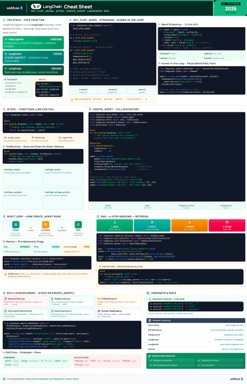
LangChain
LLM Agents, Tools, RAG & Models
Complete quick reference for LangChain - init_chat_model universal interface, @tool decorator, create_agent with memory and structured output, and full RAG pipeline.
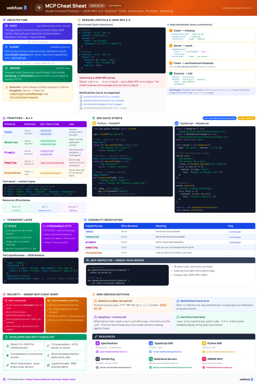
MCP
Model Context Protocol Reference
Complete quick reference for the Model Context Protocol - architecture, primitives (Tools, Resources, Prompts), JSON-RPC transport, security best practices, and ecosystem overview.
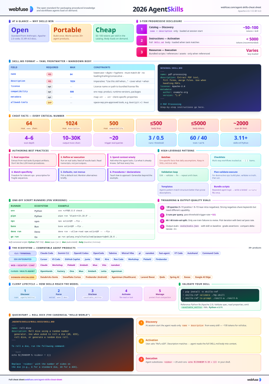
Agent Skills
SKILL.md Spec & Authoring Reference
Complete quick reference for Agent Skills - SKILL.md spec, progressive disclosure, directory conventions, authoring patterns, scripts, description optimization, output-quality evals, and client integration.