LangChain Cheat Sheet
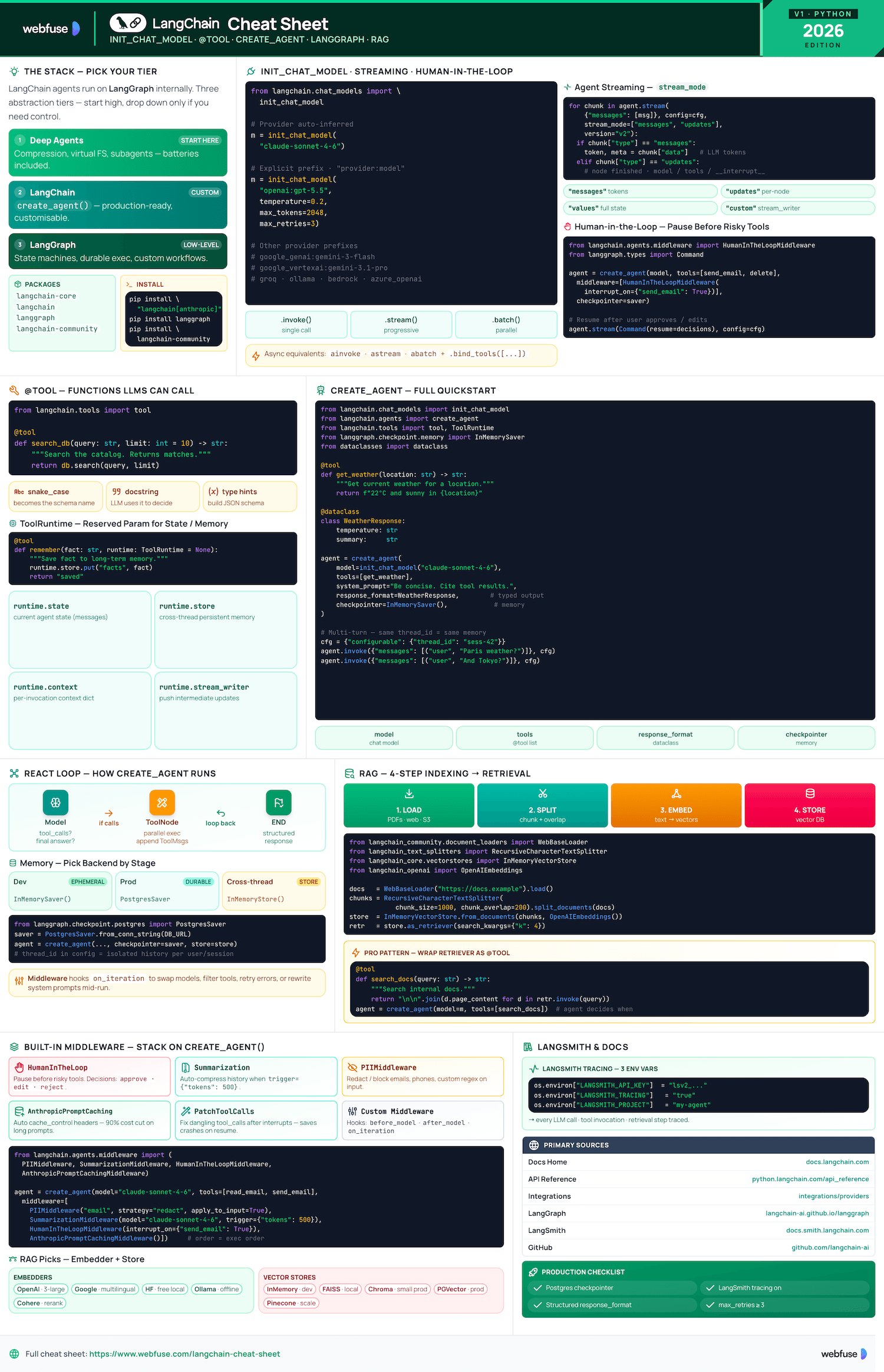
Complete quick reference for LangChain - the Python framework for building LLM-powered agents and applications. Models, Tools, Agents, and RAG in one place.
Overview
Ecosystem positioning, package structure, and installation
What Is LangChain?
LangChain is the framework for building agents and LLM-powered applications. It chains interoperable components and third-party integrations. Agents built with LangChain run on LangGraph (low-level orchestration providing durable execution, streaming, human-in-the-loop, and persistence). You do not need to know LangGraph for basic usage.
LangChain vs LangGraph vs Deep Agents
Recommended starting point. Batteries-included: automatic conversation compression, virtual filesystem, subagent-spawning. Least setup required.
Use for customising agents and autonomous applications. High-level create_agent API. Production-ready features built in.
Low-level orchestration framework for advanced needs: deterministic + agentic workflows, heavy customisation, complex state machines.
Ecosystem Packages
langchain-coreFoundational abstractions - base classes for models, messages, prompts, output parsers. Minimal dependencies.
langchainHigh-level framework - create_agent, chains, retrieval. Depends on langchain-core.
langgraphGraph-based orchestration engine. LangChain agents run on top of LangGraph internally.
langchain-community160+ third-party integrations: vector stores, document loaders, tools, embeddings.
Installation
# Core install
pip install langchain

# With provider extras
pip install "langchain[anthropic]"
pip install "langchain[openai]"

# RAG dependencies
pip install langchain-text-splitters \
            langchain-community bs4

# LangGraph for advanced orchestration
pip install langgraph
import os
os.environ["ANTHROPIC_API_KEY"] = "..."
os.environ["OPENAI_API_KEY"]    = "..."
LANGSMITH_API_KEY and LANGSMITH_TRACING=true for debugging agent runs.LangChain gives your agent tools. Most of them are APIs.
Webfuse gives it the live web.
Models
Universal chat model interface, provider configuration, and invocation methods
init_chat_model - Universal Interface
The recommended way to initialise any chat model. Provider is inferred from the model string, or specified explicitly. Accepts all standard parameters as kwargs.
from langchain.chat_models import init_chat_model

# Anthropic (auto-inferred)
model = init_chat_model("claude-sonnet-4-6")

# OpenAI with explicit provider
model = init_chat_model("openai:gpt-4o")

# With key parameters
model = init_chat_model(
    "claude-sonnet-4-6",
    temperature=0.2,
    max_tokens=2048,
    max_retries=3,
)
Sampling temperature 0–1. Lower = more deterministic.
Maximum output tokens. Provider-dependent limits apply.
Auto-retry on rate-limit or transient errors. Default 2.
Provider Quick Reference
langchain[anthropic]init_chat_model("claude-sonnet-4-6") # env: ANTHROPIC_API_KEY
langchain[openai]init_chat_model("openai:gpt-4o") # env: OPENAI_API_KEY
langchain[google-genai]init_chat_model("google_genai:gemini-2.0-flash") # env: GOOGLE_API_KEY
langchain[aws]init_chat_model("bedrock:anthropic.claude-3-sonnet") # uses boto3 credentials
langchain[openai]init_chat_model("openrouter:meta-llama/llama-3") # env: OPENROUTER_API_KEY
Invocation Methods
# string shorthand
response = model.invoke("Tell me a joke")

# message list (dict or Message objects)
response = model.invoke([
    {"role": "user", "content": "Hello"}
])
for chunk in model.stream("Write a poem"):
    print(chunk.content, end="", flush=True)
responses = model.batch([
    "Question 1", "Question 2", "Question 3"
])
model_with_tools = model.bind_tools(
    [get_weather, search]
)
result = model_with_tools.invoke("...")
ainvoke(), astream(), abatch().Tools
Functions with schema that LLMs can call - created via decorator, Pydantic, or prebuilt ToolNode
@tool Decorator
The simplest way to create a tool. Type hints become the JSON schema; docstring becomes the description shown to the LLM. Both are required.
from langchain.tools import tool

@tool
def search_database(
    query: str,
    limit: int = 10
) -> str:
    """Search the customer database for records
    matching the query. Returns matching entries."""
    # your implementation
    return f"Found results for: {query}"
Advanced Schema (Pydantic)
Use args_schema with a Pydantic model for richer descriptions, validation, and complex types.
from pydantic import BaseModel, Field
from typing import Literal
from langchain.tools import tool

class WeatherInput(BaseModel):
    location: str = Field(
        description="City and country, e.g. 'Paris, FR'"
    )
    unit: Literal["celsius", "fahrenheit"] = "celsius"

@tool(args_schema=WeatherInput)
def get_weather(location: str, unit: str) -> str:
    """Get current weather for a location."""
    return f"22{unit[0].upper()} in {location}"
ToolRuntime - Context Injection
For tools that need access to agent state, long-term memory, or streaming. Reserved parameter - do not use config or runtime as regular args.
from langchain.tools import tool, ToolRuntime

@tool
def remember_fact(
    fact: str,
    runtime: ToolRuntime = None
) -> str:
    """Save a fact to long-term memory."""
    # runtime.state   → current agent state
    # runtime.store   → long-term (InMemory/Postgres)
    # runtime.context → per-invocation context
    # runtime.stream_writer → stream feedback
    runtime.store.put("facts", fact)
    return "Saved."
runtime.state - agent stateruntime.store - long-term memoryruntime.context - invocation ctxruntime.stream_writer - streamingToolNode (LangGraph Prebuilt)
A prebuilt LangGraph node that executes tool calls from model responses. Handles parallel execution and error formatting automatically.
from langgraph.prebuilt import ToolNode

# Wrap your tools in a ToolNode
tool_node = ToolNode([search, calculator, get_weather])

# Use in a LangGraph StateGraph
graph.add_node("tools", tool_node)
graph.add_edge("agent", "tools")
graph.add_edge("tools", "agent")
create_agent handles ToolNode wiring automatically - use ToolNode directly only when building custom LangGraph graphs.Not every system you need exposes an API.
Webfuse reaches them through the live UI.
Agents
create_agent API, memory, middleware, structured output, and the ReAct loop
create_agent - Full Quickstart
Production-ready agent with tools, memory (checkpointer), structured output, and multi-turn conversation via thread_id.
from dataclasses import dataclass
from langchain.chat_models import init_chat_model
from langchain.agents import create_agent
from langchain.tools import tool, ToolRuntime
from langgraph.checkpoint.memory import InMemorySaver

SYSTEM_PROMPT = """You are a helpful assistant with access to weather data.
Always respond concisely and cite the tool result."""

@tool
def get_weather(location: str, runtime: ToolRuntime = None) -> str:
    """Get current weather for a location."""
    return f"22°C and sunny in {location}"

@dataclass
class WeatherResponse:
    temperature: str
    summary:     str

model = init_chat_model("claude-sonnet-4-6")

agent = create_agent(
    model=model,
    tools=[get_weather],
    system_prompt=SYSTEM_PROMPT,
    response_format=WeatherResponse,          # structured output
    checkpointer=InMemorySaver(),              # memory per thread
)

# First turn
result = agent.invoke(
    {"messages": [("user", "What's the weather in Paris?")]},
    config={"configurable": {"thread_id": "session-42"}},
)

# Second turn - agent remembers prior context
result = agent.invoke(
    {"messages": [("user", "And Tokyo?")]},
    config={"configurable": {"thread_id": "session-42"}},
)
How It Works - ReAct Graph
create_agent builds a LangGraph graph. The agent loops between a model node and a tool node until the model produces a final response (no tool calls).
LLM receives messages + system prompt. Returns either tool calls or a final answer.
If tool calls present → route to Tool Node. Otherwise → end and return structured response.
Executes all tool calls (parallel). Appends ToolMessages. Routes back to Model Node.
Memory & Persistence
from langgraph.checkpoint.memory import InMemorySaver
agent = create_agent(..., checkpointer=InMemorySaver())
from langgraph.checkpoint.postgres import PostgresSaver
checkpointer = PostgresSaver.from_conn_string(DB_URL)
agent = create_agent(..., checkpointer=checkpointer)
from langgraph.store.memory import InMemoryStore
store = InMemoryStore()
agent = create_agent(..., store=store)
thread_id in config to separate conversation histories. Same thread = persistent memory across turns.Middleware
Intercept and modify agent behaviour on each iteration. Use for dynamic model selection, tool filtering, error handling, and dynamic system prompts.
from langchain.agents import create_agent, Middleware

class DynamicModelMiddleware(Middleware):
    async def on_iteration(self, state, config):
        # Swap to cheaper model for simple tasks
        if len(state.messages) > 10:
            state.model = init_chat_model("claude-haiku-4-5")
        return state

agent = create_agent(
    model=model,
    tools=tools,
    middleware=[DynamicModelMiddleware()],
)
Structured Output
Force the agent to return a typed dataclass or Pydantic model instead of free-form text. Uses ToolStrategy under the hood.
from dataclasses import dataclass

@dataclass
class ResearchResult:
    summary:    str
    sources:    list[str]
    confidence: float  # 0.0 – 1.0

agent = create_agent(
    model=model,
    tools=tools,
    response_format=ResearchResult,
)

result = agent.invoke({"messages": [...]})
# result is a typed ResearchResult instance
print(result.summary)
print(result.confidence)
RAG
Retrieval-Augmented Generation - indexing pipeline, embeddings, vector stores, and query-time retrieval
Two-Phase Architecture
Run once to build the knowledge base. Load → Split → Embed → Store in vector DB.
WebBaseLoader / PDFLoaderRecursiveCharacterTextSplitterOpenAIEmbeddings / HuggingFaceChroma / FAISS / PGVectorOn each query: embed question → similarity search → inject docs into LLM context → generate answer.
vectorstore.as_retriever()retriever.invoke(query)create_agent(tools=[retriever_tool])# Full indexing pipeline from langchain_community.document_loaders import WebBaseLoader from langchain_text_splitters import RecursiveCharacterTextSplitter from langchain_community.vectorstores import InMemoryVectorStore from langchain_openai import OpenAIEmbeddings # 1. Load loader = WebBaseLoader("https://example.com/docs") docs = loader.load() # 2. Split splitter = RecursiveCharacterTextSplitter(chunk_size=1000, chunk_overlap=200) chunks = splitter.split_documents(docs) # 3. Embed + Store embeddings = OpenAIEmbeddings() vectorstore = InMemoryVectorStore.from_documents(chunks, embeddings) # 4. Retrieve retriever = vectorstore.as_retriever(search_kwargs={"k": 4}) results = retriever.invoke("What is LangChain?")
Embedding Providers
from langchain_openai import OpenAIEmbeddings
emb = OpenAIEmbeddings(model="text-embedding-3-large")
from langchain_google_genai import GoogleGenerativeAIEmbeddings
emb = GoogleGenerativeAIEmbeddings(model="embedding-001")
from langchain_huggingface import HuggingFaceEmbeddings
emb = HuggingFaceEmbeddings(model_name="all-MiniLM-L6-v2")
from langchain_ollama import OllamaEmbeddings
emb = OllamaEmbeddings(model="nomic-embed-text")
from langchain_core.embeddings import FakeEmbeddings
emb = FakeEmbeddings(size=4096)
Vector Stores
from langchain_core.vectorstores import InMemoryVectorStore
from langchain_chroma import Chroma
db = Chroma(persist_directory="./chroma_db", embedding_function=emb)
from langchain_community.vectorstores import FAISS
from langchain_postgres import PGVector
MongoDB Atlas, AstraDB, Milvus, OpenSearch, Pinecone, Weaviate - 50+ integrations via langchain-community.
RAG as an Agent Tool
Wrap a retriever as a @tool so the agent decides when to search the knowledge base - combines reasoning with retrieval.
from langchain.tools import tool
from langchain.agents import create_agent

@tool
def search_docs(query: str) -> str:
    """Search the internal knowledge base for information about our products."""
    docs = retriever.invoke(query)
    return "\n\n".join(d.page_content for d in docs)

agent = create_agent(
    model=init_chat_model("claude-sonnet-4-6"),
    tools=[search_docs],
    system_prompt="Answer questions using the search_docs tool when needed.",
)

result = agent.invoke({"messages": [("user", "What is our refund policy?")]})
Official Resources
Primary sources - docs, API references, GitHub, and LangSmith
Official Documentation
GitHub Repositories
libs/langchain/ - high-level frameworklibs/core/ - foundational abstractionslibs/community/ - 3rd-party integrationslibs/text-splitters/ - chunking utilitiesLangSmith Tracing
Recommended for debugging and monitoring agent runs in production. Traces every LLM call, tool invocation, and retrieval step.
# Enable tracing via env vars
import os
os.environ["LANGSMITH_API_KEY"]  = "lsv2_..."
os.environ["LANGSMITH_TRACING"]   = "true"
os.environ["LANGSMITH_PROJECT"]   = "my-agent"
Integrations Hub
Browse all 160+ community integrations: vector stores, LLM providers, document loaders, embeddings, and tools.
Ready to let your AI agent act on the live web?
Headless browsers give your agent a copy of the web. Webfuse gives it the session your user is actually in — over MCP, with no install.
- No credit card
- Free forever plan
- Quick setup
More Cheatsheets
Other quick-reference guides you might find useful.
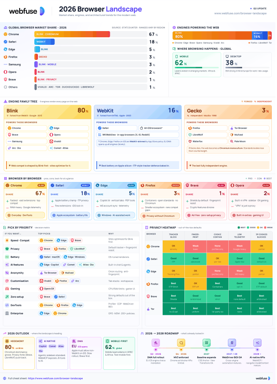
The 2026 Browser Landscape
Major Browsers, Engines, Privacy & Security
Quick reference to the 2026 web browser landscape - market share, engines (Blink, WebKit, Gecko), performance, privacy, extension risks, and a decision table for picking the right browser.
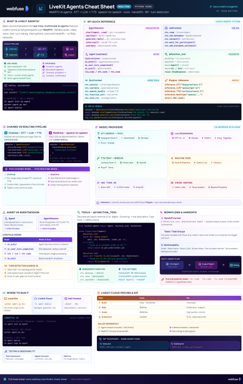
LiveKit Agents
Real-Time Voice & Multimodal AI
Complete quick reference for LiveKit Agents - architecture, chained vs realtime pipelines, STT/LLM/TTS integrations, tools, workflows, turn detection, and deployment.
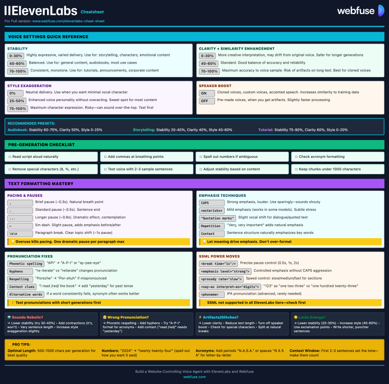
ElevenLabs
Models, Voices, API & Agents
Current quick reference for ElevenLabs models, voice cloning, streaming, API usage, and platform updates.
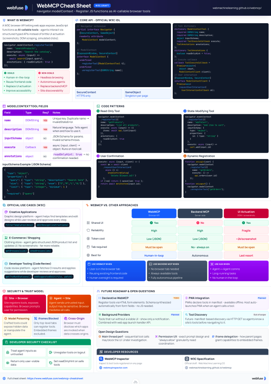
WebMCP
W3C Browser AI Tool API Reference
Complete quick reference for the W3C WebMCP browser API - register JavaScript functions as AI-callable tools with full IDL, code examples, and security guidance.
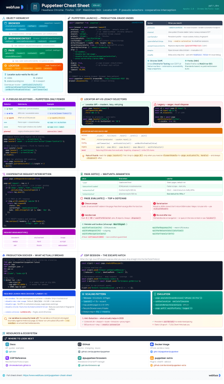
Puppeteer
Headless Chrome & Firefox Automation
Complete quick reference for Puppeteer v24 - Browser/Context/Page hierarchy, modern Locator API with pseudo-selectors, request interception, BiDi, and Docker production patterns.
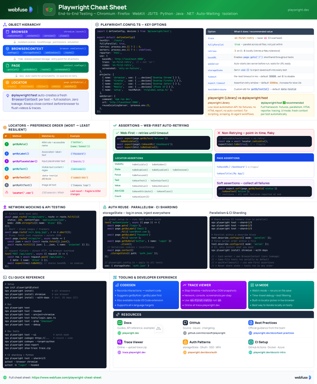
Playwright
End-to-End Testing & Browser Automation
Complete quick reference for Playwright - Browser/Context/Page/Locator primitives, locator strategies, web-first assertions, Codegen, Trace Viewer, language bindings, and best practices.
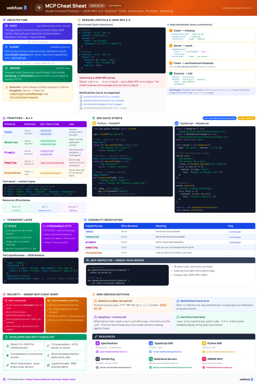
MCP
Model Context Protocol Reference
Complete quick reference for the Model Context Protocol - architecture, primitives (Tools, Resources, Prompts), JSON-RPC transport, security best practices, and ecosystem overview.
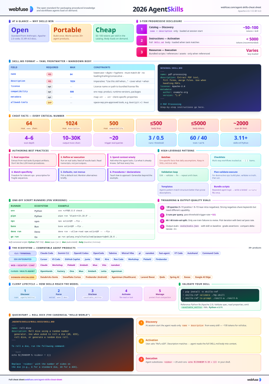
Agent Skills
SKILL.md Spec & Authoring Reference
Complete quick reference for Agent Skills - SKILL.md spec, progressive disclosure, directory conventions, authoring patterns, scripts, description optimization, output-quality evals, and client integration.