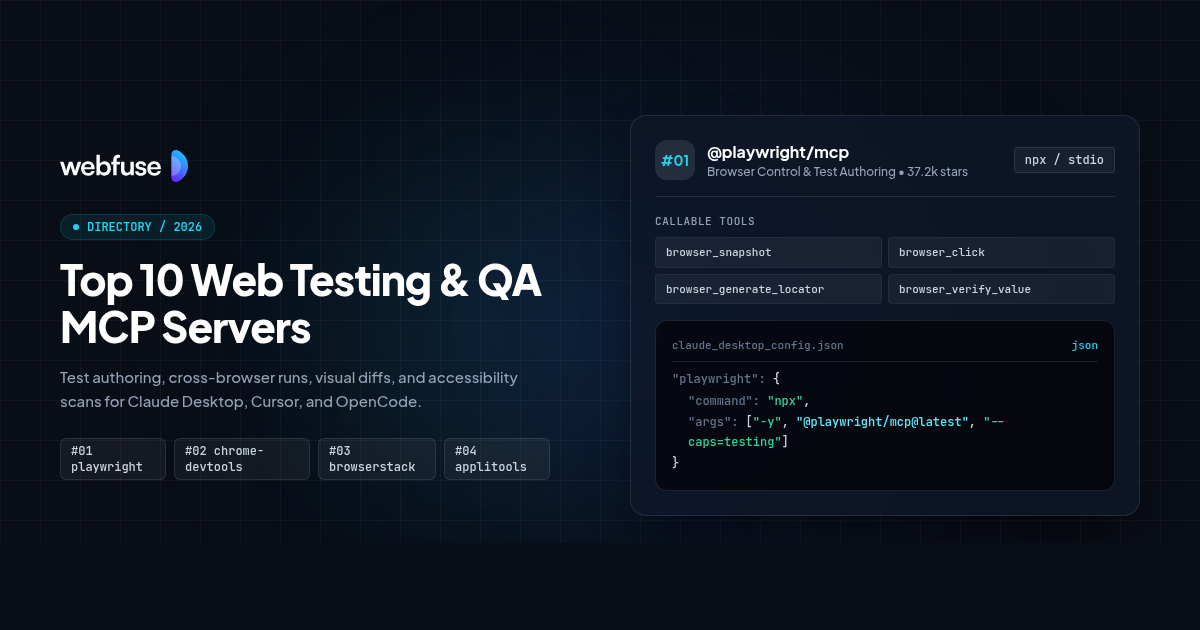
Top 10 Web Testing & QA MCP Servers for AI Agents (2026)
The top 10 Model Context Protocol (MCP) servers for browser test authoring, cross-browser execution, visual regression, accessibility auditing, synthetic monitoring, and test management, with tool schemas and configs for Claude Desktop, Cursor, and OpenCode.
Each entry lists the tools a server registers, the command that installs it, the config block its host expects, and the limits it runs into: bot challenges, expired sessions, destructive calls that fire without approval.
What is in this list
- First-party servers first. Every entry is published by the vendor whose product it exposes. Where a vendor ships its own server, community wrappers for that product were excluded, including one Playwright wrapper with 5,644 stars that has shipped no code in nine months.
- Tool schemas taken from source. Tool names and input parameters come from the shipped package or the vendor's published tool reference. Two entries are hosted servers whose vendors publish tool names without parameter schemas, and those entries say so instead of showing invented signatures.
- Context and token discipline. Browser servers attach page snapshots to tool results, and snapshot size is the practical limit on how long a test session can run. Measured figures appear in the limitations for each affected entry.
Top 10 servers at a glance
Maintainer, stars, and transport for all 10. Select one to jump to its full entry.

@playwright/mcp
Microsoft
Authoring and running browser tests against a page the agent can see

chrome-devtools-mcp
Google, Chrome DevTools team
Diagnosing why a page is slow, broken or failing an audit

@browserstack/mcp-server
BrowserStack (Official)
Running a suite across real browsers and devices, then triaging what failed

@applitools/mcp
Applitools (Official)
Adding visual checkpoints to an existing Playwright suite

Axe MCP Server
Deque Systems (Official)
Finding accessibility violations and getting code-level fixes in the editor
Checkly MCP Server
Checkly (Official)
Asking why a production user journey broke, and triggering the check again

@currents/mcp
Currents (Official)
Working out which tests are flaky and which failures share a cause

@qase/mcp-server
Qase (Official)
Keeping test cases, runs and defects in sync without leaving the editor
testRigor MCP
testRigor (Official)
Writing and running tests in plain English rather than in code
Cypress Cloud MCP
Cypress (Official)
Triaging a Cypress suite, including its accessibility and UI coverage reports
Browser Control & Test Authoring
#01 @playwright/mcp
 Microsoft
Best for: Authoring and running browser tests against a page the agent can see
Microsoft's server for the Playwright project, and the most widely installed MCP server in this category at 4.6 million weekly npm downloads. It exposes 73 tools covering navigation, input, network inspection, storage, tracing and video. Assertion and locator generation tools are opt-in behind the --caps=testing flag, which is what separates test authoring from general browsing here.
Drives Chromium, Firefox and WebKit through accessibility snapshots rather than screenshots, so assertions reference roles and names instead of pixels.
With Webfuse. Playwright drives a browser the agent owns, while Webfuse runs the same automation inside a live session a real user is already authenticated in.
Registered tools
5- browser_snapshot(target?, filename?, depth?: number, boxes?: boolean)
- Capture an accessibility snapshot of the current page, with optional depth limiting.
- browser_click(element?, target, doubleClick?: boolean, button?, modifiers?: array)
- Click an element referenced from the page snapshot.
- browser_generate_locator(element?, target)
- Generate a locator for an element to paste into a test.
- browser_verify_element_visible(role, accessibleName)
- Assert an element is visible, addressed by role and accessible name.
- browser_verify_value(type, element, target, value)
- Assert an element value. Checkboxes take the strings true or false.
Install
npx -y @playwright/mcp@latestConfigurationclaude_desktop_config.json
{
  "mcpServers": {
    "playwright": {
      "command": "npx",
      "args": ["-y", "@playwright/mcp@latest", "--caps=testing"]
    }
  }
}
Limitations
- Assertion and locator tools are absent unless you pass --caps=testing. The default tool set can drive a browser but cannot verify anything.
- Snapshot payloads dominate context. Open issues request output size limits, including #889 with 13 reactions and #806 titled Easy to reach token limit.
- A persistent browser profile can only be used by one instance at a time, so two clients sharing a workspace conflict until one passes --isolated.
- Microsoft's own README now points coding agents at the Playwright CLI instead, on the grounds that CLI calls avoid loading tool schemas and accessibility trees into context.
Performance Profiling & Page Diagnostics
#02 chrome-devtools-mcp
 Google, Chrome DevTools team
Best for: Diagnosing why a page is slow, broken or failing an audit
Google's server for Chrome DevTools, at 1.5 million weekly npm downloads and 59 tools. It covers performance tracing with Core Web Vitals, Lighthouse audits for accessibility, SEO and best practices, network request inspection, and heap snapshot analysis for memory leaks. It ships as a Claude Code plugin bundling the server with skills.
Opens the DevTools protocol to an agent: traces, Core Web Vitals, network waterfalls, console output and heap snapshots.
With Webfuse. Chrome DevTools profiles a page in a local browser. Webfuse captures the same session data from a live session on a site you do not control.
Registered tools
4- performance_start_trace(reload?: boolean, autoStop?: boolean)
- Start a performance trace to find Core Web Vitals problems. Reloads the page by default.
- lighthouse_audit(mode?)
- Run a Lighthouse audit for accessibility, SEO and best practices. Mode is navigation or snapshot.
- list_network_requests(pageSize?: number)
- List requests made by the page since the last navigation.
- take_snapshot(filePath?)
- Take a text snapshot of the page built from the accessibility tree, with a uid per element.
Install
npx -y chrome-devtools-mcp@latestConfigurationclaude_desktop_config.json
{
  "mcpServers": {
    "chrome-devtools": {
      "command": "npx",
      "args": ["-y", "chrome-devtools-mcp@latest"]
    }
  }
}
Limitations
- Every input tool attaches a page snapshot with no way to switch it off. Issue #726, labelled confirmed, records a single click taking context from 31K to 242K tokens and a session ending at 2251% of a 200K window.
- Supports Google Chrome and Chrome for Testing only. Chrome 144 or newer is required.
- Performance tools may send trace URLs to the Google CrUX API for field data unless you pass --no-performance-crux. Usage statistics are collected by default.
- Lighthouse audits here exclude performance, which is covered by the separate tracing tools.
Cross-Browser & Real Device Execution
#03 @browserstack/mcp-server
 BrowserStack (Official)
Best for: Running a suite across real browsers and devices, then triaging what failed
BrowserStack's server exposes 46 tools spanning test management, Automate, Observability, App Live, accessibility scanning and Percy visual testing. Percy has no standalone MCP server, so seven Percy tools inside this server are the supported path to running and approving visual diffs. It runs locally over stdio with account credentials, or remotely at mcp.browserstack.com with OAuth.
The only entry that runs tests on hardware you do not own, and the only route to Percy visual diffs.
With Webfuse. BrowserStack runs a suite on a clean device. Webfuse Augmented Web Proxy reaches sites that block automated browsers before a test can start.
Registered tools
4- runPercyScan(projectName, percyRunCommand?, integrationType)
- Run a Percy visual scan for a project.
- fetchPercyChanges(project_name)
- Fetch visual changes detected in a Percy build.
- startAccessibilityScan(name, pageURL, authConfigId?: number, advancedRules?: boolean)
- Start an accessibility scan and return a local CSV report path.
- getFailureLogs(buildId?, sessionId?)
- Retrieve failure logs for a build or session.
Install
npx -y @browserstack/mcp-server@latestConfigurationclaude_desktop_config.json
{
  "mcpServers": {
    "browserstack": {
      "command": "npx",
      "args": ["-y", "@browserstack/mcp-server@latest"],
      "env": {
        "BROWSERSTACK_USERNAME": "your_username",
        "BROWSERSTACK_ACCESS_KEY": "your_access_key"
      }
    }
  }
}
Limitations
- Percy tools need a Percy licence enabled by BrowserStack support, separate from a BrowserStack subscription.
- BrowserStack's docs cover VS Code, Cline, Cursor, Claude Desktop and ChatGPT. Claude Code, Windsurf, Codex and OpenCode have no documented config, and a request to publish a Claude Code plugin has been open since October 2025.
- Three separate reports of test management tools failing on accounts that require API token auth remain open on the issue tracker.
- Tool count is high enough to matter in clients that cap the tool list, such as Cursor at 40 tools.
MCP gives coding agents tool access.
Webfuse gives them live , authenticated browser execution.
Visual Regression & Diff Review
#04 @applitools/mcp
 Applitools (Official)
Best for: Adding visual checkpoints to an existing Playwright suite
Applitools ships the dedicated visual testing server for this category. It guides setup of Eyes in a Playwright project, writes visual checkpoints into existing tests, configures the Ultrafast Grid for cross-browser rendering, and reads results back from the Playwright HTML report. Six tools are registered in the shipped package.
Works inside your test code rather than around it, writing Eyes checkpoints into existing specs and reading results back.
With Webfuse. Applitools compares renders of a page you control. Webfuse captures the same visual state from a live session on a third-party site.
Registered tools
4- eyes_setup_project(projectName?, apiKey?)
- Set up Applitools Eyes in a Playwright JS project using the fixtures pattern.
- eyes_add_checkpoints_to_test(workspaceRoot?)
- Add Eyes visual checkpoints to an existing Playwright test.
- eyes_get_batch_url(testOutput, workspaceRoot?)
- Extract batch and session URLs from Playwright console output.
- eyes_fetch_visual_results(reportPath?)
- Read visual test results from the Playwright HTML report and the Eyes server.
Install
npx -y @applitools/mcpConfigurationclaude_desktop_config.json
{
  "mcpServers": {
    "applitools": {
      "command": "npx",
      "args": ["-y", "@applitools/mcp"],
      "env": {
        "APPLITOOLS_API_KEY": "your_api_key"
      }
    }
  }
}
Limitations
- The shipped package registers six tools. Applitools documentation describes a larger tool surface, so check the installed version rather than the docs page before planning around a tool name.
- Setup and checkpoint tools target the Playwright JavaScript and TypeScript fixtures SDK. Other runners are not covered.
- eyes_fetch_visual_results reads playwright-report/index.html from disk, so a run with a different reporter returns stale results from an earlier run.
- Adoption is small next to the rest of this list at roughly 754 weekly npm downloads.
Accessibility Auditing
#05 Axe MCP Server
 Deque Systems (Official)
Best for: Finding accessibility violations and getting code-level fixes in the editor
Deque's server for axe DevTools, and the reference point for accessibility in this category. Two tools do the work: analyze runs a real browser scan returning violations with severity, selectors and HTML snippets, and remediate turns those violations into code-level fix guidance an agent can apply. Distribution is Docker, with 52,494 pulls.
Runs the axe engine that most accessibility tooling is built on, then maps violations back to source for remediation.
With Webfuse. axe scans a URL it can reach on its own. Webfuse runs the same scan inside a live session, covering pages that only exist after a login.
Registered tools
2- analyze(url, viewportWidth?: number, viewportHeight?: number, selector?, before?: array, cookies?: array, screenshot?: object, igtTools?: array, advancedRules?)
- Scan a local or remote URL with axe, optionally after interaction steps or with injected cookies.
- remediate(issues: array, pageUrl?)
- Return code-level fix guidance for 1 to 25 issues from an analyze response.
Install
docker run -i --rm -e AXE_API_KEY docker.io/dequesystems/axe-mcp-server:v1.0.2Configurationclaude_desktop_config.json
{
  "mcpServers": {
    "axe": {
      "command": "docker",
      "args": [
        "run",
        "-i",
        "--rm",
        "-e",
        "AXE_API_KEY",
        "docker.io/dequesystems/axe-mcp-server:v1.0.2"
      ],
      "env": {
        "AXE_API_KEY": "your_api_key"
      }
    }
  }
}
Limitations
- Requires a paid Axe DevTools for Web subscription and an API key. There is no free tier.
- remediate accepts 25 issues per call, so a page with hundreds of violations needs batching.
- The before parameter caps interaction steps at 20 and cookies at 20, which limits how deep into a flow a single scan can reach.
- Around 20 community axe wrappers exist, most under three stars. Check you are running Deque's image and not one of them.
Synthetic Monitoring
#06 Checkly MCP Server
Best for: Asking why a production user journey broke, and triggering the check again
Checkly's hosted server covers 32 tools across account entitlements, check statistics, test sessions, result assets, environment variables, status pages and incidents. Three tools drive Rocky AI root cause analysis on a failing check. It connects over streamable HTTP with OAuth, or with user and service API keys for clients that cannot do OAuth.
The only entry watching journeys in production rather than in CI, which makes its failures real user failures.
With Webfuse. Checkly reports that a journey broke in production. Webfuse opens a live session on the same page so a person can watch it break.
Registered tools
1- list-check-stats(tag?, checkType?, search?, status?, limit?: number, page?: number, includeReliability?: boolean, range?)
- List checks with reliability statistics, filtered by tag, type, status or search term.
Install
npx -y mcp-remote https://api.checklyhq.com/mcpConfigurationclaude_desktop_config.json
{
  "mcpServers": {
    "checkly": {
      "command": "npx",
      "args": ["-y", "mcp-remote", "https://api.checklyhq.com/mcp"]
    }
  }
}
Limitations
- Checkly documents 32 tool names but publishes parameters for list-check-stats only, so the rest have to be discovered by connecting.
- The server runs remotely and cannot read your filesystem, so writing or deploying check code stays with the Checkly CLI.
- OAuth is restricted to Checkly-approved clients. Checkly's docs name Cline, Windsurf and Devin Desktop as lacking OAuth support.
- The Model Context Protocol registry lists a third-party wrapper under an unrelated publisher rather than this server. Use the endpoint from Checkly's docs.
CI Test Results & Flake Analysis
#07 @currents/mcp
 Currents (Official)
Best for: Working out which tests are flaky and which failures share a cause
Currents collects Playwright and Cypress results from CI and exposes them over MCP. Tools cover runs, spec performance, test results, an errors explorer that groups failures by cause, project insights, Jira issue creation and webhook management. Star count understates it: 20 stars against roughly 150,000 monthly npm downloads.
Reads the record of runs that already happened, so it answers questions about patterns rather than about one browser session.
With Webfuse. Currents shows which test failed and how often. Webfuse reproduces it in a live session where a person can watch the failure happen.
Registered tools
4- get-run(runId)
- Fetch details for a single CI run.
- get-runs(projectId, limit?: number, starting_after?)
- List runs for a project, paginated up to 100 per page.
- get-errors-explorer(projectId)
- Group recent failures by shared error signature.
- get-spec-files-performance(projectId)
- Report per-spec duration and performance trends.
Install
npx -y @currents/mcpConfigurationclaude_desktop_config.json
{
  "mcpServers": {
    "currents": {
      "command": "npx",
      "args": ["-y", "@currents/mcp"],
      "env": {
        "CURRENTS_API_KEY": "your_api_key"
      }
    }
  }
}
Limitations
- Reads results that CI already produced. It cannot run a test or open a browser.
- A read and write API key can delete runs permanently with no confirmation step. Use a read-only key unless you need writes.
- Coverage is Playwright and Cypress. Other runners need the generic reporting path.
- Useful output depends on your CI already reporting into Currents, so there is setup before the first question can be answered.
Standard MCP tools hit Cloudflare and auth walls.
Webfuse Augmented Web Proxy works through bot challenges.
Test Case Management
#08 @qase/mcp-server
 Qase (Official)
Best for: Keeping test cases, runs and defects in sync without leaving the editor
Qase's server covers roughly 42 tools for cases, suites, runs, results, plans, defects, milestones, environments and reviews. It includes a query language, QQL, whose search tool returns a page of records in one call. The tool descriptions in source carry measured guidance: ten sequential lookups took 5.3 seconds against 1.2 seconds for a single search returning the same records.
Operates on the record of what should be tested, which is the one part of QA that outlives any individual test run.
With Webfuse. Qase records what was tested. Webfuse human approval checkpoints record who signed off on an agent acting in a live session.
Registered tools
4- qase_get(entity, code?, id, fields?: array)
- Fetch one record by type and ID. Entity is one of case, suite, run, result, plan, defect and eleven more.
- qql_search(query, code?)
- Search records with QQL, returning a full page in one call.
- qase_case_upsert(code, id?, title?)
- Create or update a test case.
- qase_run_upsert(code, id?, title?)
- Create or update a test run.
Install
npx -y @qase/mcp-serverConfigurationclaude_desktop_config.json
{
  "mcpServers": {
    "qase": {
      "command": "npx",
      "args": ["-y", "@qase/mcp-server"],
      "env": {
        "QASE_API_TOKEN": "your_api_token"
      }
    }
  }
}
Limitations
- The hosted server at mcp.qase.io requires an Enterprise plan. Self-hosting over stdio works on any plan.
- Enterprise customers on dedicated infrastructure have to self-host rather than use the shared hosted endpoint.
- Published tool counts disagree between Qase's documentation and its blog. The installed package is the reliable answer.
- qase_get in a loop is roughly four times slower than one qql_search returning the same records, per the measurement in its own tool description.
Natural Language Test Authoring
#09 testRigor MCP
Best for: Writing and running tests in plain English rather than in code
testRigor's hosted server exposes more than 39 operations covering test suites, test cases, rules, global variables, data sets and runs. Because testRigor tests are written as plain English steps, an agent can author a case and execute supplied steps directly, without generating selector-based code first. Authentication is a personal access token sent as a request header.
Tests are sentences, not selectors, so an agent can write them without knowing the page structure.
With Webfuse. testRigor runs plain English tests against a site it can reach. Webfuse runs the same kind of flow inside a live session on a site you do not own.
Install
npx -y mcp-remote https://api2.testrigor.com/api/v1/mcpConfigurationclaude_desktop_config.json
{
  "mcpServers": {
    "testrigor": {
      "command": "npx",
      "args": [
        "-y",
        "mcp-remote",
        "https://api2.testrigor.com/api/v1/mcp",
        "--header",
        "personal-access-token:${TESTRIGOR_TOKEN}"
      ],
      "env": {
        "TESTRIGOR_TOKEN": "your_personal_access_token"
      }
    }
  }
}
Limitations
- testRigor documents its operations as prose labels such as Run green regressions rather than as tool identifiers, and publishes no input parameters. Connect the server and enumerate its tools before scripting against it.
- Hosted only. There is no local server and no package to inspect.
- No adoption signal is available: no public repo, no npm package, and no listing in the harness directories that publish install counts.
- Plain English steps move the ambiguity from the selector to the sentence, so wording changes can alter what a test does.
Cypress Run Intelligence
#10 Cypress Cloud MCP
Best for: Triaging a Cypress suite, including its accessibility and UI coverage reports
Cypress Cloud's hosted server gives an agent read access to run data: projects, runs, specs, tests, failed tests with stack traces, and flaky tests with per-attempt detail. Three tools return accessibility reports and three return UI Coverage reports, neither of which the other entries here can produce. It reached general availability in May 2026 and is included on all plans.
Covers the same question as Currents from the Cypress side, and adds accessibility and UI coverage reports that only Cypress Cloud produces.
With Webfuse. Cypress Cloud explains what failed in CI. Webfuse reopens the same journey as a live session so a person can watch it fail.
Install
npx -y mcp-remote https://mcp.cypress.io/mcpConfigurationclaude_desktop_config.json
{
  "mcpServers": {
    "cypress": {
      "command": "npx",
      "args": ["-y", "mcp-remote", "https://mcp.cypress.io/mcp"]
    }
  }
}
Limitations
- Cypress documents 13 tool names but no input parameters, so filter arguments have to be discovered by connecting.
- Read only. It reports on runs that already happened and cannot author or execute a test.
- Rate limited to 100 tool requests per hour on every plan, including paid tiers.
- Flaky test reporting, accessibility violations and UI Coverage each need their own subscription even though the server is included on all plans.
Which server to use
Start from the constraint you have, whether that is transport, host, or network access, and take the server built for it.
- 01
You need an agent to write and verify browser tests locally
Assertion and locator tools behind --caps=testing, and the widest harness support in this list.
 @playwright/mcp
 - 02
A page is slow and you need to know why
Performance traces with Core Web Vitals plus Lighthouse audits for accessibility, SEO and best practices.
 chrome-devtools-mcp
 - 03
The bug only appears on a browser or device you do not have
The only entry that runs a suite on real hardware, and the only route to Percy visual diffs.
 @browserstack/mcp-server
 - 04
Layout regressions keep reaching production
Writes visual checkpoints into existing Playwright specs rather than adding a separate suite.
 @applitools/mcp
 - 05
You have to prove WCAG compliance and fix what fails
Runs the axe engine and returns code-level remediation for up to 25 issues per call.
 Axe MCP Server
 - 06
You need to know a journey broke in production before a user reports it
The only entry monitoring live journeys rather than CI runs.
Checkly MCP Server - 07
The suite is flaky and you cannot tell which failures share a cause
Groups failures by error signature across historical runs in both Playwright and Cypress.
 @currents/mcp
 - 08
Test cases, runs and defects live in a system nobody updates
Roughly 42 tools over the full test management model, with a query language for bulk reads.
 @qase/mcp-server
 - 09
The people who know the requirements cannot write test code
Tests are plain English steps, so an agent can author them without selector knowledge.
testRigor MCP - 10
Your suite is Cypress and you want accessibility and UI coverage in the same place
Reports that only Cypress Cloud produces, included on every plan.
Cypress Cloud MCP
Every server above automates a browser you cannot see.
Webfuse acts in the live session.
Frequently asked questions
Which MCP server should I start with for web testing?
playwright-mcp for authoring and running tests, and chrome-devtools-mcp for diagnosing why something is slow or broken. Between them they cover most day to day work, and both are published by the browser tooling teams themselves. Add a specialist server when you hit a boundary they do not cover, such as real device execution or visual diffing.
Why do some entries show no tool signatures?
testrigor-mcp and cypress-cloud-mcp are hosted servers whose vendors publish tool names but not input parameters. Showing a signature would mean inventing one. Connect the server and enumerate its tools before writing code against either.
Why is my context window filling up during a test session?
Browser servers attach a page snapshot to tool results. In chrome-devtools-mcp every input tool does this with no way to disable it, and a confirmed issue records one click taking context from 31K to 242K tokens. Mitigations in playwright-mcp include --image-responses omit and --mobile, which returns lighter pages.
Is MCP still the right way to drive a browser from an agent?
Microsoft's own Playwright MCP README now points coding agents at the Playwright CLI instead, because CLI calls avoid loading tool schemas and accessibility trees into context. MCP remains the better fit where the session needs to persist across many steps, such as exploratory testing or a long autonomous run. For a short scripted task the CLI is cheaper.
Do I need a paid account to use these?
playwright-mcp and chrome-devtools-mcp need no account. axe-mcp requires a paid Axe DevTools subscription, the hosted qase-mcp endpoint requires an Enterprise plan, and Percy tools in browserstack-mcp need a licence enabled by support. cypress-cloud-mcp is included on all plans, though some reports it returns need their own subscription.
Is there an official MCP server for Selenium or TestRail?
No. Neither the SeleniumHQ nor the Gurock GitHub organisation publishes one, and the community servers that fill the gap are numerous and small. Roughly 25 TestRail wrappers exist, almost all under five stars, and none is the de facto choice.
Related guides
Developer & Coding MCP Servers
Ten MCP servers for Git, code search, container execution, error tracking, cloud infrastructure, and databases.
Web Scraping & Content Extraction
Ten MCP servers for web scraping, crawling, SERP search, and markdown extraction.
Customer Support & CRM
Ten MCP servers for Zendesk, Jira Service Management, Salesforce, Freshdesk, and CRM workflows.
Voice AI & Telephony
Ten MCP servers for ElevenLabs, Twilio telephony, Cartesia streaming TTS, Vapi, and Whisper STT.
MCP Complete Reference
The full Model Context Protocol reference: transports, handlers, capability negotiation, and host configuration.
WebMCP Protocol Reference
How WebMCP exposes tools from inside a live browser session, and where it differs from stdio and HTTP MCP.
Agent Skills Standard
The SKILL.md standard for packaging agent workflows, and how skills compose with MCP tool access.
Playwright Automation
Selector strategy, waiting, and tracing for the browser engine most MCP automation servers wrap.