Top 10 Voice AI & Conversational Agent MCP Servers (2026)
The top 10 Model Context Protocol (MCP) servers for voice agents, speech synthesis, transcription, and telephony, with tool schemas and configs for Claude Desktop, Cursor, and OpenCode.
Each entry lists the tools a server registers, the command that installs it, the config block its host expects, and the limits it runs into: bot challenges, expired sessions, destructive calls that fire without approval.
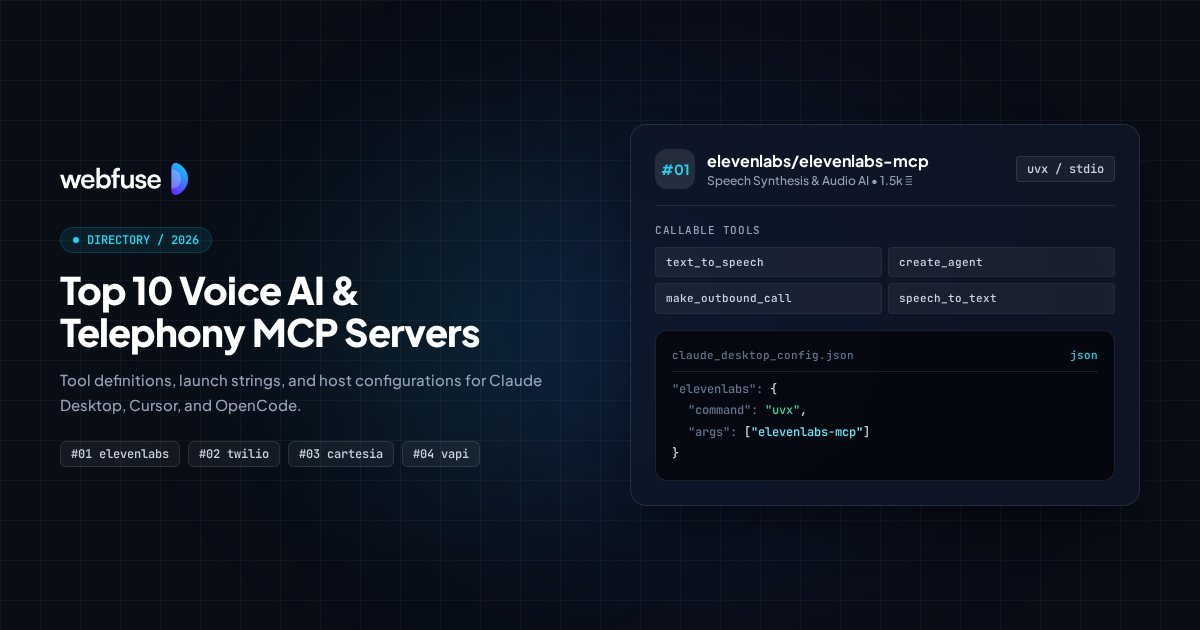
What is in this list
- First-party servers first. Every entry is published by the vendor whose product it exposes. The previous version of this list ranked a third-party wrapper for Retell at number five, and Retell publishes its own server.
- Tool schemas taken from source. Seven entries have their tool names and input parameters read from the shipped package or enumerated from the running server. Three are hosted behind authentication and publish capability descriptions rather than schemas, and those entries say so.
- Hosted servers included. Most voice vendors ship a remote endpoint with no public repository. A list built from GitHub alone misses them, which is how two archived repos ended up at the top of the previous version.
Top 10 servers at a glance
Maintainer, stars, and transport for all 10. Select one to jump to its full entry.

@vapi-ai/mcp-server
Vapi (Official)
Building and running voice agents from the editor, then placing real calls
Retell MCP Server
Retell AI (Official)
Driving the full Retell API without loading a hundred tool schemas into context
ElevenLabs Hosted MCP
ElevenLabs (Official)
Managing ElevenLabs agents, voices and generated audio from an assistant

cartesia-mcp
Cartesia (Official)
Low latency synthesis and transcription where round-trip time decides the experience
PolyAI Builder MCP
PolyAI (Official)
Managing enterprise voice agents through deployment environments and rollbacks

@humeai/mcp-server
Hume AI (Official)
Speech where delivery carries meaning, not just the words

Bandwidth MCP Server
Bandwidth (Official)
Writing call control logic and handling the callbacks a live call produces
Bland MCP
Bland AI (Official)
Outbound calling at volume, driven from an assistant
Rime MCP Server
Rime (Official)
Choosing a voice and generating the integration code for it
Deepgram MCP (dg CLI)
Deepgram (Official)
Transcription work where the CLI is already part of the workflow
Voice Agent Platform
#01 @vapi-ai/mcp-server
 Vapi (Official)
Best for: Building and running voice agents from the editor, then placing real calls
Vapi registers 13 tools across assistants, calls, phone numbers and tool definitions. Input schemas are Zod objects in the repository, so the arguments an agent has to supply are visible before you install anything. It runs locally over stdio or against the hosted endpoint at mcp.vapi.ai.
Covers the whole lifecycle in one server: create an assistant, attach a phone number, place the call, read the result.
With Webfuse. Vapi runs the call. Webfuse puts the same agent inside the caller's browser session, so it can act on the page while talking.
Registered tools
4- create_call(assistantId?, phoneNumberId?, customer?: object, scheduledAt?)
- Place an outbound call, optionally scheduled with an ISO datetime.
- get_call(callId)
- Fetch details of a specific call.
- list_calls
- List recent calls, limited to 10 per request in the handler.
- create_assistant(name?, firstMessage?, model?: object, voice?: object)
- Create a voice assistant with its model and voice configuration.
Install
npx -y @vapi-ai/mcp-serverConfigurationclaude_desktop_config.json
{
  "mcpServers": {
    "vapi": {
      "command": "npx",
      "args": ["-y", "@vapi-ai/mcp-server"],
      "env": {
        "VAPI_TOKEN": "your_api_key"
      }
    }
  }
}
Limitations
- list_calls takes no arguments and the handler caps results at 10, so an agent cannot page through call history.
- Creating an assistant means supplying nested model and voice objects, which is hard for an agent to get right without reading Vapi's own docs first.
- Calls cost money per minute. An agent that retries a failed call is spending real budget with no guard in the server.
Phone Agents via Meta-Tools
#02 Retell MCP Server
Best for: Driving the full Retell API without loading a hundred tool schemas into context
Retell's hosted server reports itself as retell-sdk 3.0.0 and registers three meta-tools. An agent calls list_api_endpoints to discover what exists, get_api_endpoint_schema to fetch the JSON Schema for one endpoint, then invoke_api_endpoint to call it. Three schemas load at session start rather than the full API surface.
Exposes the entire API through three tools instead of one tool per endpoint, which is a different answer to the context cost problem than every other entry gives.
With Webfuse. Retell handles the phone leg. Webfuse handles the web leg, where the customer is looking at a page the agent can act on.
Registered tools
3- list_api_endpoints(search?)
- List Retell API endpoints with name, HTTP method, path and a short summary.
- get_api_endpoint_schema(endpoint)
- Fetch the full JSON Schema for one endpoint's arguments.
- invoke_api_endpoint(endpoint, arguments?: object)
- Call an endpoint with arguments matching the schema returned above.
Install
npx -y mcp-remote https://mcp.retellai.comConfigurationclaude_desktop_config.json
{
  "mcpServers": {
    "retell": {
      "command": "npx",
      "args": [
        "-y",
        "mcp-remote",
        "https://mcp.retellai.com",
        "--header",
        "Authorization:Bearer ${RETELL_API_KEY}"
      ],
      "env": {
        "RETELL_API_KEY": "your_api_key"
      }
    }
  }
}
Limitations
- Any action takes three round trips: discover, fetch schema, invoke. Latency per action is higher than a server with direct tools.
- The agent has to pick the right endpoint from a list rather than from a typed tool, which moves the failure mode from a schema error to a wrong choice.
- Retell's docs describe capability categories and do not publish the endpoint list, so the only reliable inventory is the one the server returns.
- The Model Context Protocol registry lists a third-party Retell wrapper and not this server, so registry-led searches find the wrong one.
Speech Synthesis & Agent Management
#03 ElevenLabs Hosted MCP
Best for: Managing ElevenLabs agents, voices and generated audio from an assistant
ElevenLabs moved to a hosted MCP server with regional endpoints, authenticated with an OAuth bearer token. The local elevenlabs-mcp package that most published guides still point at was archived on 20 August 2026, so configs copied from older tutorials install a repository that no longer takes changes.
The synthesis quality most other entries are measured against, now reached through a hosted endpoint rather than a local package.
With Webfuse. ElevenLabs gives the agent a voice. Webfuse gives it hands on the page the user is looking at while it speaks.
Install
npx -y mcp-remote https://api.elevenlabs.io/v1/mcpConfigurationclaude_desktop_config.json
{
  "mcpServers": {
    "elevenlabs": {
      "command": "npx",
      "args": ["-y", "mcp-remote", "https://api.elevenlabs.io/v1/mcp"]
    }
  }
}
Limitations
- The endpoint requires an OAuth bearer token and returns nothing to an unauthenticated tools/list, so the tool inventory cannot be checked before you have an account.
- ElevenLabs documents capabilities in prose without publishing tool names or input parameters.
- The archived elevenlabs-mcp package still installs and still appears in most third-party setup guides. Check which one your config points at.
- Audio returned inline as base64 consumes context quickly, which is the recurring complaint across every speech server on this list.
MCP gives coding agents tool access.
Webfuse gives them live , authenticated browser execution.
Low-Latency Speech Synthesis & Transcription
#04 cartesia-mcp
 Cartesia (Official)
Best for: Low latency synthesis and transcription where round-trip time decides the experience
Cartesia registers 16 tools spanning synthesis, transcription, voice cloning, accent control and pronunciation dictionaries. Parameters come straight from the Python source, and generated audio is saved by default so the tool returns a file id and a download URL valid for 24 hours rather than raw audio in the response.
The only entry covering both directions of audio with equal weight, which matters when one agent has to speak and listen.
With Webfuse. Cartesia keeps the audio round trip short. Webfuse keeps the web actions in the same session, so speech and page state stay together.
Registered tools
4- text_to_speech(transcript, voice_id, output_format: object, model_id?, language?, speed?: number, volume?: number, emotion?, save?: boolean)
- Synthesise speech with optional speed, volume and emotion control.
- speech_to_text(file_path, mode?, model?, language?, sample_rate?: number)
- Transcribe an audio file in batch mode by default, or streaming.
- clone_voice(file_path, name, language, mode, description?)
- Clone a voice from an audio sample.
- localize_voice(voice_id, language)
- Adapt an existing voice to another language or dialect.
Install
uvx cartesia-mcpConfigurationclaude_desktop_config.json
{
  "mcpServers": {
    "cartesia": {
      "command": "uvx",
      "args": ["cartesia-mcp"],
      "env": {
        "CARTESIA_API_KEY": "your_api_key"
      }
    }
  }
}
Limitations
- Both speech_to_text and clone_voice take a file_path, so the server needs filesystem access to audio the agent cannot fetch for itself.
- The hosted endpoint at mcp.cartesia.ai rejects unauthenticated requests, so the tool list can only be read from the package.
- Admin API keys use a different prefix from standard keys and unlock different tools, which makes behaviour depend on which key you configured.
- Repository visibility is low at 14 stars, which understates a server that Cartesia maintains actively.
Enterprise Contact Centre Operations
#05 PolyAI Builder MCP
Best for: Managing enterprise voice agents through deployment environments and rollbacks
PolyAI's Builder server returns 106 tools, enumerated live from the endpoint. Coverage runs well past agent creation into deploying a branch, promoting a deployment to the next environment, rolling back to a previous one, and managing voice configurations per deployment. A separate Data server handles conversation and metrics search.
Built around branches, environments and promotions rather than around single calls, which is what separates contact centre work from a developer's voice agent.
With Webfuse. PolyAI answers the call. Webfuse human approval checkpoints hold the agent before an action a supervisor should see first.
Registered tools
4- create-agent(body: object)
- Create a voice agent.
- deploy-a-branch(path_agentId, path_branchId, body: object)
- Deploy a branch of an agent to an environment.
- promote-a-deployment-to-the-next-environment(path_agentId, body: object)
- Promote a deployment from one environment to the next.
- trigger-an-outbound-call(path_agentId, body: object)
- Start an outbound call from a deployed agent.
Install
npx -y mcp-remote https://api.us.poly.ai/builder-mcpConfigurationclaude_desktop_config.json
{
  "mcpServers": {
    "polyai": {
      "command": "npx",
      "args": [
        "-y",
        "mcp-remote",
        "https://api.us.poly.ai/builder-mcp",
        "--header",
        "X-API-KEY:${POLYAI_API_KEY}"
      ],
      "env": {
        "POLYAI_API_KEY": "your_api_key"
      }
    }
  }
}
Limitations
- 106 tools is more than some clients accept. Cursor caps the tool list at 40, so the server needs filtering before it fits.
- Most tools take a generic body object, so the agent still has to know the request shape from PolyAI's API docs.
- Endpoints are region specific and the Builder and Data servers are separate, so a full setup means configuring two servers.
- Rollback and promotion tools change what is live for real callers, with no confirmation step in the server.
Expressive Speech Generation
#06 @humeai/mcp-server
 Hume AI (Official)
Best for: Speech where delivery carries meaning, not just the words
Hume registers five tools, with schemas read from the shipped package at version 0.3.0. The tts tool takes an array of utterances, each carrying its own text, natural language delivery description, speed between 0.5 and 2, and trailing silence up to five seconds. Generated audio is written to disk and exposed as an MCP resource rather than returned inline.
Accepts per-utterance direction such as speed and trailing silence, so a line can be performed rather than only read.
With Webfuse. Hume controls how a line is delivered. Webfuse controls what the agent does on the page while delivering it.

Registered tools
4- tts(utterances: array, voiceName?, provider?, continuationOf?, quiet?: boolean, modelVersion?)
- Generate speech from utterances, each with optional delivery description, speed and trailing silence.
- save_voice(generationId, name)
- Save a generated voice under a name for reuse in later requests.
- play_previous_audio(generationId)
- Replay audio from an earlier generation by its id.
- list_voices
- List saved and provider voices.
Install
npx -y @humeai/mcp-serverConfigurationclaude_desktop_config.json
{
  "mcpServers": {
    "hume": {
      "command": "npx",
      "args": ["-y", "@humeai/mcp-server"],
      "env": {
        "HUME_API_KEY": "your_api_key"
      }
    }
  }
}
Limitations
- Model version 1 supports delivery descriptions and generating without a voice. Version 2 supports multiple languages. Neither does both.
- Audio is written to a working directory on disk, so the server needs somewhere to write and the files accumulate.
- Five tools cover generation and voice storage only. There is no transcription and no telephony.
- Voices saved by name are the only reuse mechanism, so losing the generation id means regenerating the audio.
Carrier Telephony & Call Control
#07 Bandwidth MCP Server
 Bandwidth (Official)
Best for: Writing call control logic and handling the callbacks a live call produces
Bandwidth's Python server generates BXML, the markup that controls what happens during a call, from verb descriptions. Supported verbs include SpeakSentence, Gather, Transfer, Record, Bridge and StartTranscription. Other tools list phone numbers and applications, read callback events, and respond to a callback mid-call.
Works at the level of call control markup and callback events, which is where a voice agent meets the phone network rather than an API wrapper.
With Webfuse. Bandwidth controls the call. Webfuse Augmented Web Proxy lets the same agent reach the web pages the call is about.
Registered tools
4- generateBXML(verbs: array, auto_gather?: boolean)
- Build valid BXML from verb descriptions such as SpeakSentence, Gather, Transfer and Record.
- respondToCallback(call_id, bxml)
- Answer a live call callback with BXML.
- listPhoneNumbers(size?: number, status?)
- List phone numbers, defaulting to 100 results with status Inservice.
- getCallbackEvents(call_id?)
- Read callback events produced during a call.
Install
uvx bandwidth-mcp-serverConfigurationclaude_desktop_config.json
{
  "mcpServers": {
    "bandwidth": {
      "command": "uvx",
      "args": ["bandwidth-mcp-server"],
      "env": {
        "BANDWIDTH_ACCOUNT_ID": "your_account_id",
        "BANDWIDTH_API_TOKEN": "your_api_token"
      }
    }
  }
}
Limitations
- There is no tool that places a call. The server builds and answers call control markup, so the call has to be started elsewhere.
- generateBXML takes a list of untyped verb dictionaries, so an incorrect verb shape fails at call time rather than at schema validation.
- Credentials are set through a tool at runtime, which means they pass through the conversation unless supplied as environment variables.
- BXML is specific to Bandwidth. The knowledge does not transfer to another carrier.
Standard MCP tools hit Cloudflare and auth walls.
Webfuse Augmented Web Proxy works through bot challenges.
Outbound Call Campaigns
#08 Bland MCP
Best for: Outbound calling at volume, driven from an assistant
Bland runs a hosted server at api.bland.ai/v1/mcp authenticated with an organisation bearer token, with a bland mcp CLI as an alternative entry point. Tool names are published in Bland's documentation, covering call creation and agent management, though input parameters are not.
Built around placing calls out rather than answering them, which changes what the tool surface prioritises.
With Webfuse. Bland places the call. Webfuse opens the page the customer needs while the call is still connected.
Install
npx -y mcp-remote https://api.bland.ai/v1/mcpConfigurationclaude_desktop_config.json
{
  "mcpServers": {
    "bland": {
      "command": "npx",
      "args": [
        "-y",
        "mcp-remote",
        "https://api.bland.ai/v1/mcp",
        "--header",
        "Authorization:Bearer ${BLAND_API_KEY}"
      ],
      "env": {
        "BLAND_API_KEY": "your_api_key"
      }
    }
  }
}
Limitations
- Bland publishes tool names without input parameters, and the endpoint rejects unauthenticated requests, so the schemas cannot be read before signing up.
- Outbound calling at volume runs into regulation that the server does not model, including consent and calling hours.
- Pricing is per minute, so a loop that redials is a loop that spends.
Voice Selection & Integration Scaffolding
#09 Rime MCP Server
Best for: Choosing a voice and generating the integration code for it
Rime's stateless server answers an unauthenticated tools/list, so its six tools can be inspected before signing up. Alongside synthesis and voice browsing it offers check_dictionary and normalize_text for working out how text will be pronounced, and generate_integration, which emits framework-specific code for the voice you picked.
The only entry that writes integration code for you, which makes it useful before a single line of the voice agent exists.
With Webfuse. Rime picks the voice and writes the integration. Webfuse supplies the live session the finished agent speaks into.
Registered tools
4- synthesize_speech(text?, speaker?, modelId?, language?, include_audio?: boolean)
- Synthesise speech, with audio optionally excluded from the response.
- list_voices(model?, language?, limit?: number)
- List available voices, filtered by model and language.
- generate_integration(framework, language?, model?, speaker?, mode?)
- Generate integration code for a named framework using the chosen voice.
- normalize_text(text)
- Show how text will be normalised before synthesis.
Install
npx -y mcp-remote https://mcp.rime.aiConfigurationclaude_desktop_config.json
{
  "mcpServers": {
    "rime": {
      "command": "npx",
      "args": ["-y", "mcp-remote", "https://mcp.rime.ai"]
    }
  }
}
Limitations
- Rime positions the server for exploration and prototyping rather than production traffic.
- Browsing voices works without a key, but synthesis needs one.
- The server is stateless, so nothing carries between calls and the agent resends context each time.
- generate_integration produces code for the frameworks Rime supports, so an unusual stack gets nothing useful.
Speech to Text Tooling
#10 Deepgram MCP (dg CLI)
Best for: Transcription work where the CLI is already part of the workflow
Deepgram bundles its MCP server into the dg command line tool, started with dg mcp. It runs over stdio by default with SSE available. Deepgram describes it as exposing every CLI command, which ties the tool surface to the CLI's own versioning rather than to a separate server release.
Ships inside Deepgram's command line tool rather than as a standalone package, so it mirrors the CLI rather than the API.
With Webfuse. Deepgram turns speech into text. Webfuse turns the resulting intent into actions on the page the user is viewing.
Install
dg mcpConfigurationclaude_desktop_config.json
{
  "mcpServers": {
    "deepgram": {
      "command": "dg",
      "args": ["mcp"],
      "env": {
        "DEEPGRAM_API_KEY": "your_api_key"
      }
    }
  }
}
Limitations
- Deepgram does not publish tool names or input parameters, describing the surface as every CLI command.
- The dg CLI has to be installed and authenticated first, which is a step the other entries on this list do not require.
- Tool behaviour follows CLI releases, so an upgrade can change the surface without a server version to pin.
Which server to use
Start from the constraint you have, whether that is transport, host, or network access, and take the server built for it.
- 01
You want one server that builds an agent and places the call
Assistants, phone numbers and calls in 13 tools with published input schemas.
 @vapi-ai/mcp-server
 - 02
Tool schemas are eating your context window
Three meta-tools load at session start instead of one schema per endpoint.
Retell MCP Server - 03
Voice quality is the thing users will judge
The synthesis the rest of this category is compared against.
ElevenLabs Hosted MCP - 04
The agent has to listen and speak with low latency
Synthesis and transcription in one server, with pronunciation and accent control.
 cartesia-mcp
 - 05
Agents ship through staging environments and need rollback
Branch deployment, environment promotion and rollback across 106 tools.
PolyAI Builder MCP - 06
How a line is delivered matters as much as its wording
Per-utterance delivery description, speed and trailing silence.
 @humeai/mcp-server
 - 07
You need to control what happens during the call itself
Generates BXML for transfer, gather, record and live transcription.
 Bandwidth MCP Server
 - 08
The job is outbound calling at volume
A hosted server built around placing calls rather than answering them.
Bland MCP - 09
You are still choosing a voice and have written no code
Browse voices without a key, then generate integration code for your framework.
Rime MCP Server - 10
Transcription is the whole task
Ships inside the dg CLI, so it fits a workflow that already uses it.
Deepgram MCP (dg CLI)
Every server above automates a browser you cannot see.
Webfuse acts in the live session.
Frequently asked questions
Which voice MCP server should I start with?
vapi-mcp if you want to build an agent and place a call from one server, since its 13 tools carry published input schemas. cartesia-mcp if the task is synthesis and transcription rather than telephony. Both run locally, so neither needs an account before you can read what they expose.
Why do some entries show no tool signatures?
elevenlabs-mcp, bland-mcp and deepgram-mcp publish capability descriptions rather than tool names with input parameters, and the first two reject unauthenticated requests, so the schemas cannot be read before signing up. Inventing signatures for them would be worse than leaving the section out.
Is there an official MCP server for LiveKit or OpenAI Realtime?
No. Both are MCP clients rather than servers: they call out to external MCP servers instead of exposing their own. Voiceflow and Groq work the same way. Vonage, Plivo, Resemble and Rev.ai publish documentation search servers, which answer questions about their docs and take no product actions.
Why is Retell's server structured differently from the others?
Retell exposes its whole API through three meta-tools: list_api_endpoints to discover, get_api_endpoint_schema to fetch one endpoint's JSON Schema, then invoke_api_endpoint to call it. Three schemas load at session start rather than the full surface. The cost is three round trips per action instead of one.
Does audio returned by these servers use up my context window?
It can, and the servers that handle it well avoid returning audio inline. Cartesia saves generated audio and returns a file id with a download URL valid for 24 hours. Hume writes files to a working directory and exposes them as MCP resources. Rime lets you set include_audio to false when you only need the metadata.
What changed in this list?
Five entries were replaced. The previous version ranked a third-party Retell wrapper while Retell publishes its own hosted server, listed two NotebookLM servers which are not voice agent servers at all, and included three personal projects between 14 and 31 stars. It also led with the ElevenLabs repository, which was archived on 20 August 2026 when ElevenLabs moved to a hosted endpoint.
Related guides
Developer & Coding MCP Servers
Ten MCP servers for Git, code search, container execution, error tracking, cloud infrastructure, and databases.
Web Scraping & Content Extraction
Ten MCP servers for web scraping, crawling, SERP search, and markdown extraction.
Customer Support & CRM
Ten MCP servers for Zendesk, Jira Service Management, Salesforce, Freshdesk, and CRM workflows.
Web QA & Visual Testing
Ten MCP servers for Playwright test authoring, cross-browser runs, visual diffs, accessibility scans, and synthetic monitoring.
MCP Complete Reference
The full Model Context Protocol reference: transports, handlers, capability negotiation, and host configuration.
WebMCP Protocol Reference
How WebMCP exposes tools from inside a live browser session, and where it differs from stdio and HTTP MCP.
Agent Skills Standard
The SKILL.md standard for packaging agent workflows, and how skills compose with MCP tool access.
Playwright Automation
Selector strategy, waiting, and tracing for the browser engine most MCP automation servers wrap.